While developing any data pipeline, it starts with extracting data from a source. Especially when preparing data for a BI dashboard or AI model, both need data from different sources.
The source is less likely to be cloud storage and more likely to be enterprise SaaS applications like Salesforce, SAP, ServiceNow, or integrated with transactional databases like SQL Server and MySQL. That data needs to be extracted carefully and stored in a location like ADLS or S3 to be consumed further.
Whichever the source, the ingestion strategy needs to be planned as the first step for a successful data pipeline.
Databricks Auto Loader continuously loads files into Delta tables Unity Catalog managed streaming tables. It ensures that files are not processed more than once while supporting incremental data loading.
It is a perfect solution for cloud-based files. But what if the data resides in SQL Server?
We have Spark JDBC drivers that can connect to SQL Server, but managing incremental loads and maintaining these pipelines manually can be challenging.
That’s where Lakeflow Connect plays its role.
Below are the some of the lakeflow connectors which is ready to use.
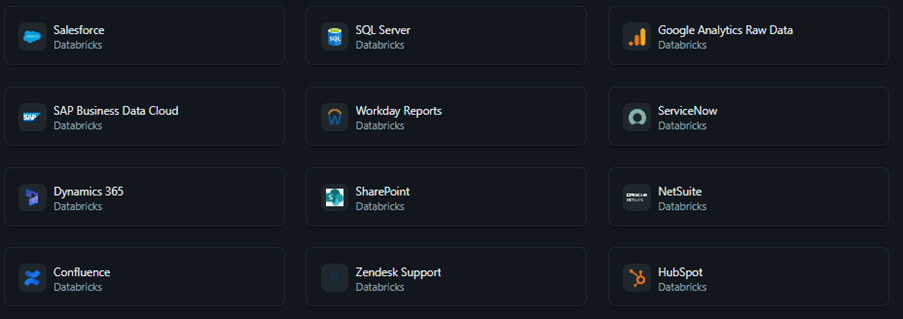
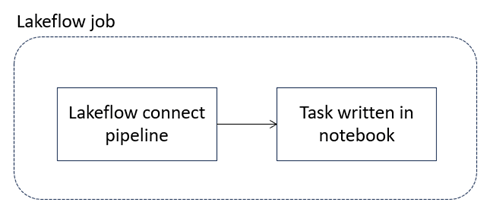
In this article, I will demo how to establish lakeflow connect for SQL server and orchestrate in lakeflow job.
Prerequisite:
- SQL server up and running
- Networking rule to access SQL server
Create connection with SQL server
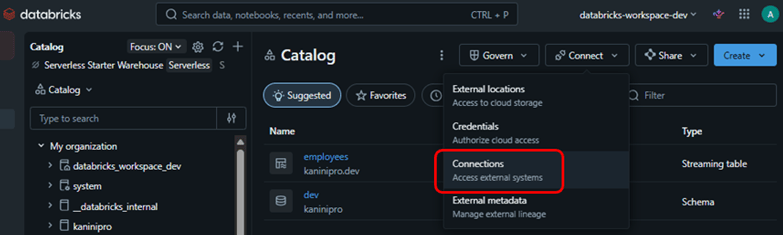
Lakeflow connect also referred as ingestion pipeline. To create ingestion pipeline, we can go with UI as well yaml file and deploy through CI/CD.
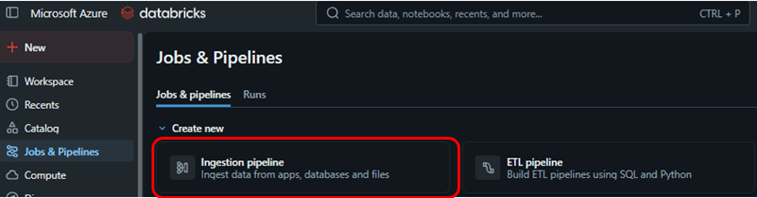
Things to be configured while setting up
- Map it to the connection, if connection not available create one
- Select CDC or query based
- Select the compute configuration and whether serverless or classic
- source and target details
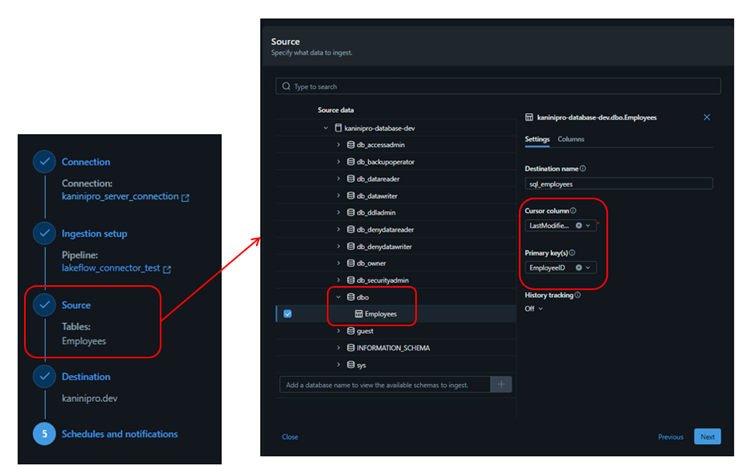
While setting up source (for query-based option), need to select cursor column and primary column plays important role.
Cursor column – Used for incremental tracking, telling the connector which rows are new/changed since the last run. It queries the source database and retrieves all rows whose cursor column value is greater than the high-water mark from the previous run. After the run succeeds, it stores the new high-water mark (the max cursor value seen) and uses it as the lower bound for the next run
Primary key – Used to identify rows for merge operations (upserts), not for incremental tracking.
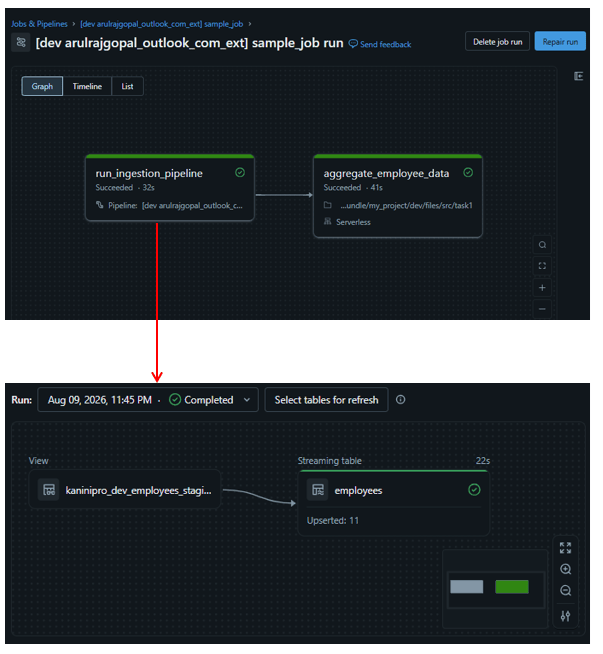
The source code for Lakeflow Jobs and Lakeflow Connect, along with the databricks.yml file used for deployment, is maintained here – source.
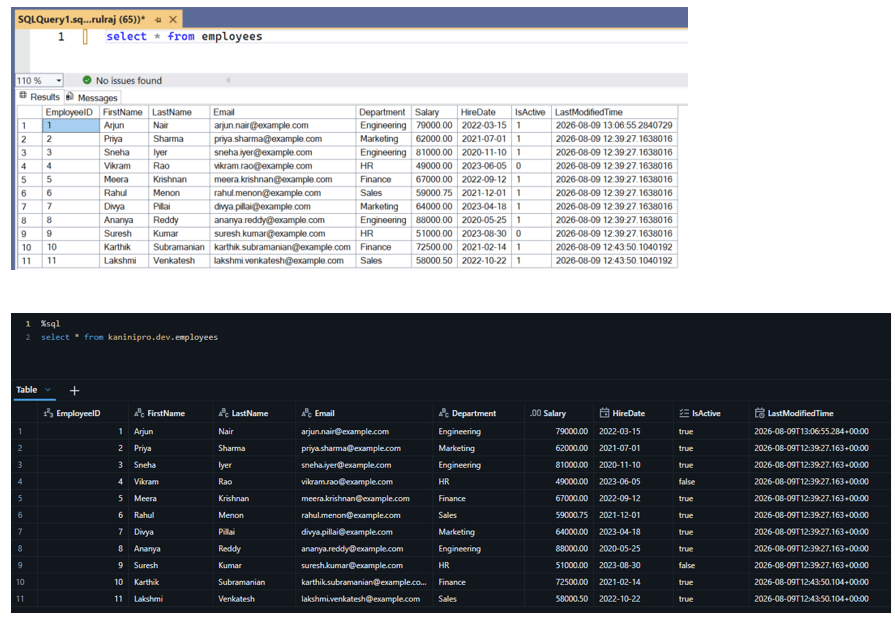
Deployed job and successful run of ingestion run with consecutive notebook execution. This illustrates well that lakeflow connect integrated with lakeflow jobs through code and orchestrated.
Outro
Hopefully this gives you a clear understanding of how Lakeflow Connect simplifies SQL Server ingestion and integrates seamlessly with Lakeflow Jobs for end-to-end pipeline orchestration.
Happy Learning!
References
Features with limited regional availability – Azure Databricks | Microsoft Learn
https://learn.microsoft.com/en-us/azure/databricks/ingestion/lakeflow-connect/query-based-overview

Leave a comment