Data governance is a paramount concern for every data engineer to ensure that data maintains high integrity. One of the key aspects of achieving this is granting access only to the right people.
In Databricks, access control is implemented across multiple layers: the account level, the workspace level, and the data level, which is managed by Unity Catalog. To understand these multi-layered access controls in detail, you can refer to my previous article: [link].
As mentioned, the data layer is managed by Unity Catalog, where every object is governed through Role-Based Access Control (RBAC). But what if you need to secure only a part of an object? For example, a table is an object in Unity Catalog, but you may want certain users to see only specific rows or prevent them from viewing sensitive columns. This is where Row-Level Security (RLS) and Column-Level Security (CLS) come into play.
I explained Row-Level Security in my previous article. In this article, we’ll explore Column-Level Security (CLS), understand why it is important, and walk through a hands-on demonstration of how to implement it in Databricks.
One of the most common use cases for column-level security is protecting Personally Identifiable Information (PII). To comply with regulations such as GDPR, organizations must ensure that sensitive data is accessible only to authorized users. Column-level security helps prevent unnecessary exposure of sensitive information and reduces the risk of data leakage.
Column-level security (CLS) in Databricks is used to ensure that users can access only the columns they are authorized to see, even if they have access to the same table.
Consider an employee table with columns such as Employee ID, Name, Department, Salary, and SSN. Not every user needs access to all this information. For example, the HR team should be able to view every column, the Finance team only needs access to the Salary column, while Managers only require basic employee details such as ID, Name, and Department.
Maintaining separate tables for each group with different levels of access quickly becomes difficult and increases data duplication, synchronization effort, and maintenance overhead. A much better approach is to store the data in a single table and enforce column-level security, ensuring that each user can access only the columns they are authorized to view. This simplifies data management while improving security and compliance.
Let’s demo it in databricks.
Prerequisite:
- Databricks workspace with unity catalog
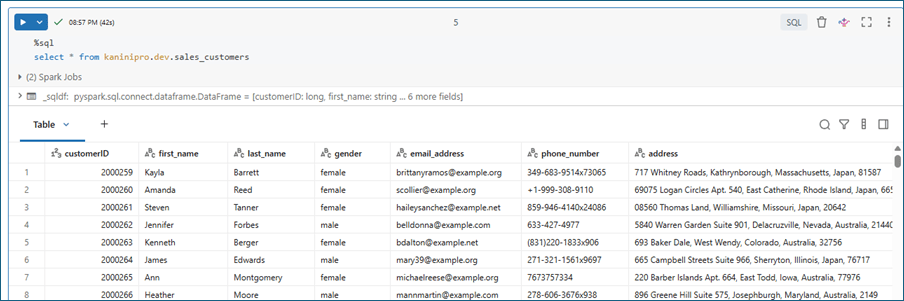
- Sample dataset
Sample dataset
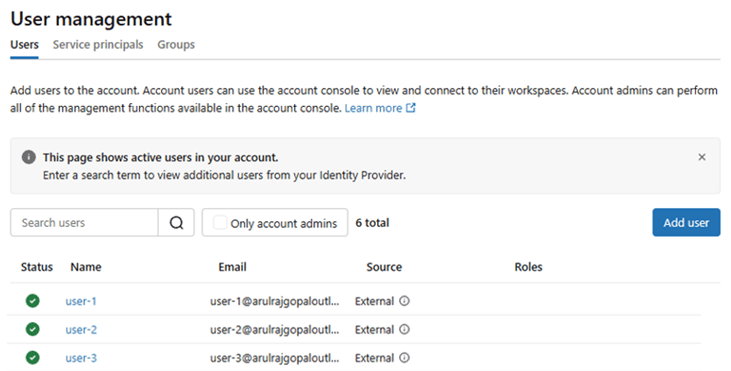
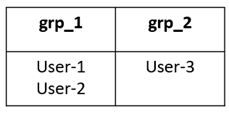
Databricks Users and Assign to right group.
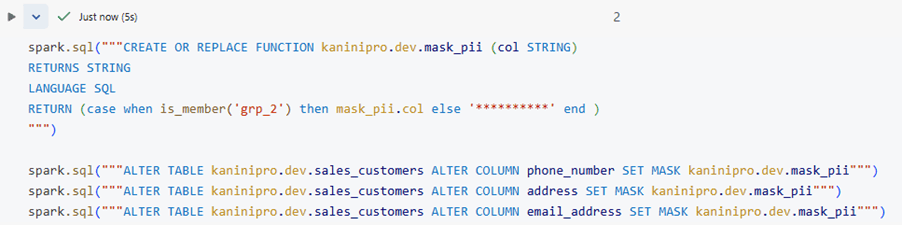
Create a column-masking function that checks whether a user belongs to a specific group. If the user is a member of the group, the function returns the actual column value; otherwise, it returns a masked value. Finally, alter the table to apply the masking function to the required column.
Describe the table and check the functions are enabled.
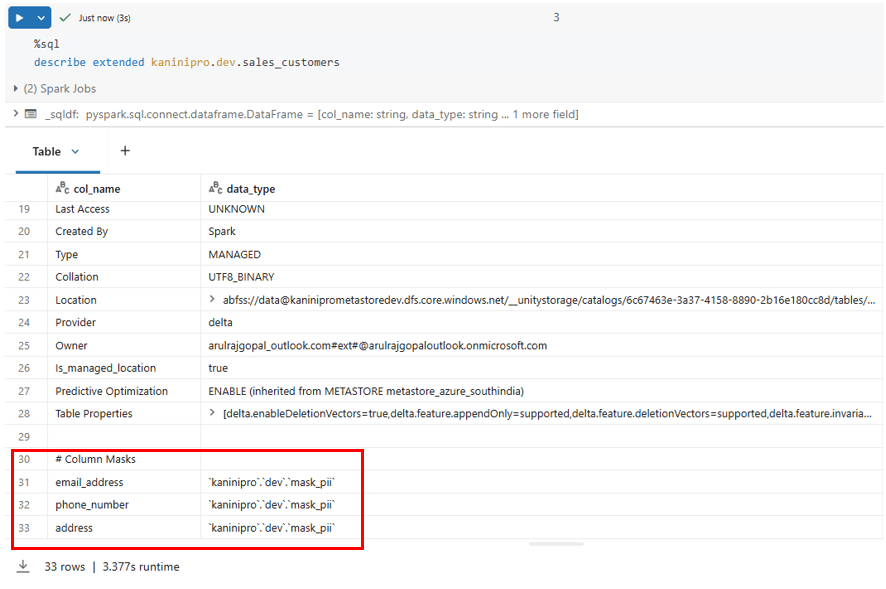
And finally query the table with different user and check the result. Prior to that make sure the user has unity catalog access, cluster access and workspace access.
querying from user-1 who doesn’t have access to see PII details:
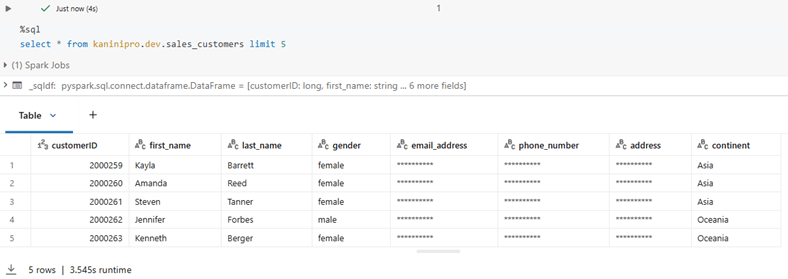
querying from user-2 who doesn’t have access to see PII details:
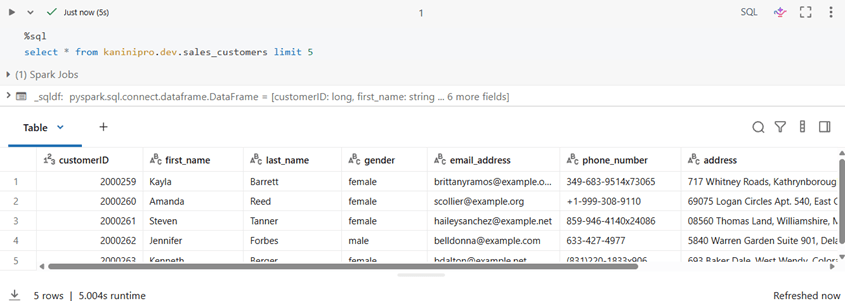
This demo explains how to implement Column Level Security in Databricks.
I’ve attached the code used in this demo in the link below, so you can follow along and try it yourself.
References
https://docs.databricks.com/aws/en/data-governance/unity-catalog/filters-and-masks

Leave a comment