Access control is the most rudimentary form of maintaining security and data protection. It ensures that the right people have the right access to avoid any misuse of data.
For example, in banking systems, customers can view only their own account and transaction details, while bank employees manage customer accounts, and administrators oversee and control the entire system. This can be achieved by ensuring the right access control is implemented.
In azure databricks, we have different access control system for different type of objects.
- Account level
- By role-based access controlControls account-level objects such as service principals and groupAll account admin users can manage account roles
- Account roles are defined once, in your account, and apply across all workspaces.
- Workspace level
- By Access control list
- Controls the workspace objects like Compute, Job, Folder, Git-folder etc.
- Data securable objects
- By unity catalog
- Controls the unity catalog objects like catalog, metastore, tables, views etc.
Let’s experiment it.
Identity Setup
User and groups created and get assigned.
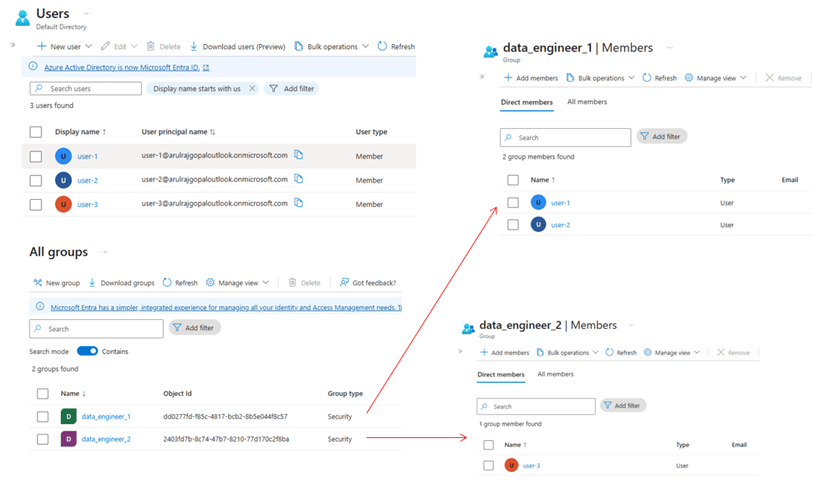
Login to databricks Account using – https://accounts.azuredatabricks.net/
And then add Groups into Databricks, just need to pick no need to create since automatic identity management is enabled. I explained how identity sync works in this article.
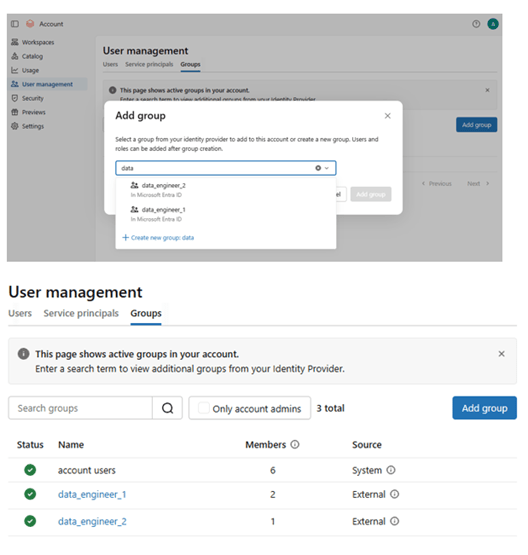
Account level access control
In the example I considered data_engineer_1 should have limited access so provided only user access and data_engineer_2 as senior engineer and can be admin.
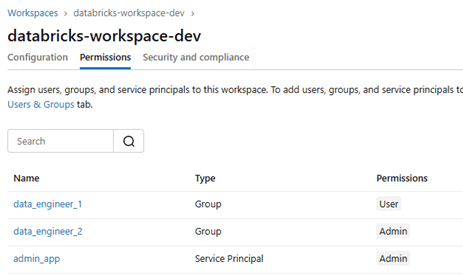
Controlling access to different groups at the account level ensures that respective users have the right permissions to the appropriate workspaces. As shown, granting admin access provides control over workspace-level administration.
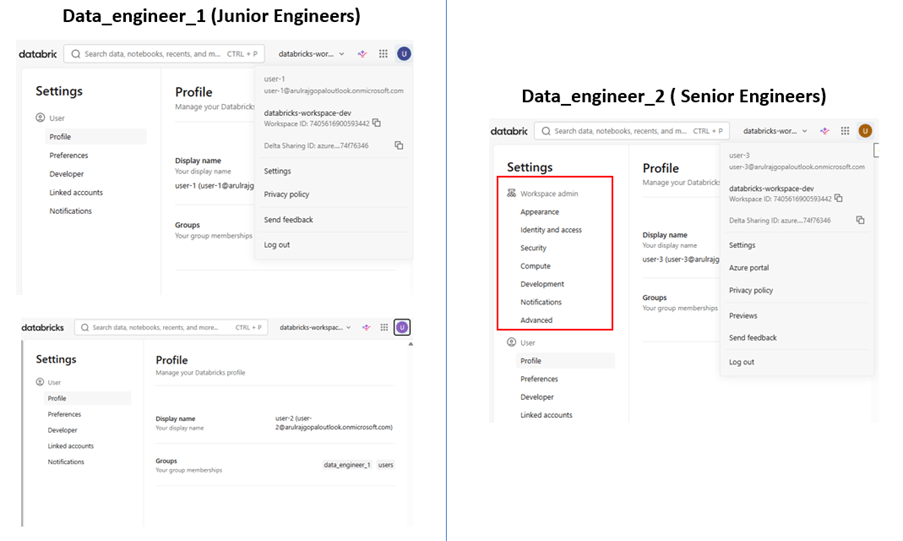
Note: wherever I explained the article with user it meant for all identity like groups and service principles.
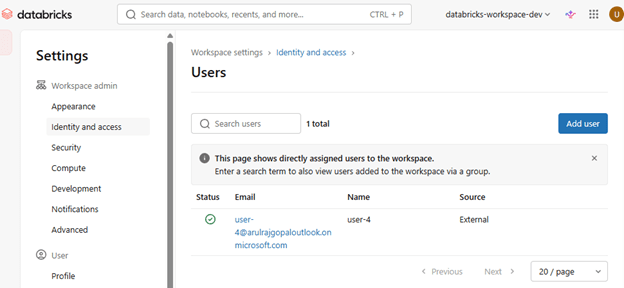
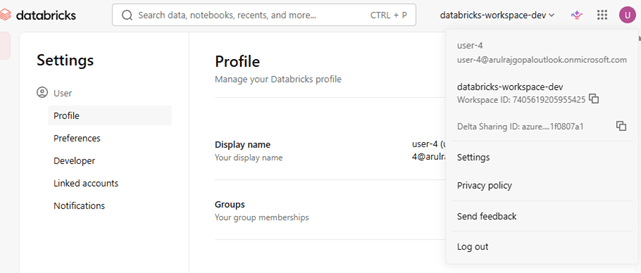
The other way to add a user is by adding them directly to the workspace without logging into the account console. A Workspace Admin can do this, and the newly added user can be assigned either Admin or User access. Once this is done, the newly added user will be reflected automatically in the account console, if only unity Catalog is enabled.
Adding the user workspace level with user access.
Workspace level setup
Workspace level access is controlled by Access control list (ACL) for workspace objects like Compute, notebooks, jobs, git-folder, models etc.
I have attached a reference link at the bottom that shows the different access levels available for each object.
In this demo, let’s explore compute access control. As per the documentation, these are the ACLs for compute.
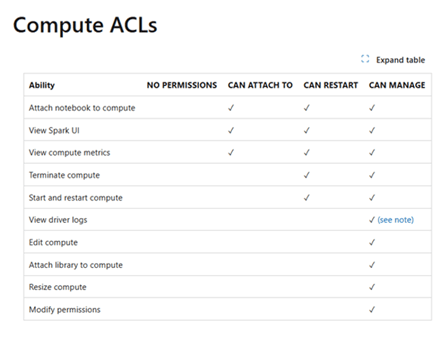
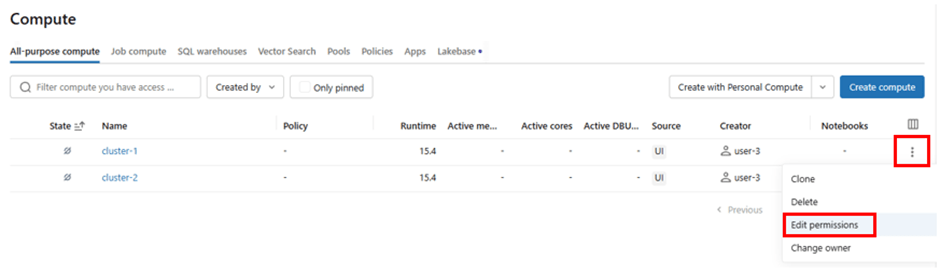
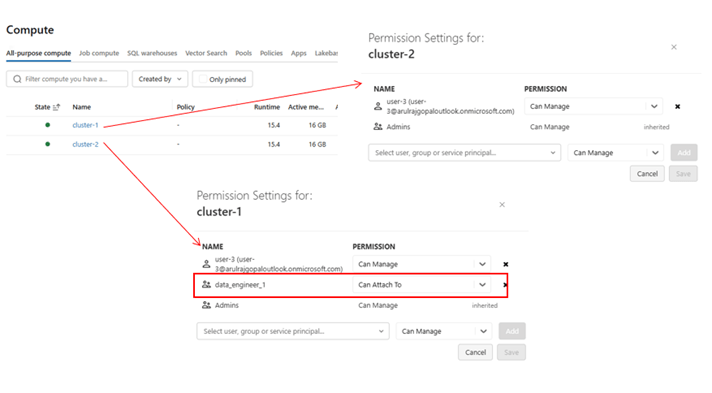
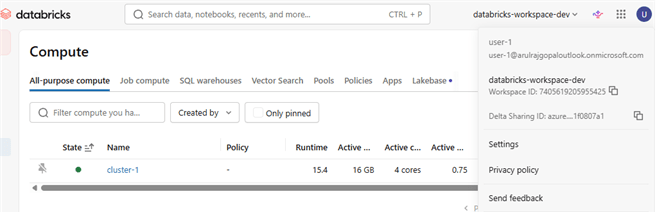
The workspace admin creates two interactive clusters and grants the CAN ATTACH TO permission for only one compute to the data_engineer_1 group. As a result, users who are part of that group can see only that specific cluster and have no other permissions except attaching notebooks to it.
Access to specific objects can be granted by clicking the three dots on any object and selecting Edit Permissions.
The next interesting access control layer is the data layer, which is governed by Unity Catalog.
Unity Catalog Object Level Setup
It is important to understand the object model in Unity Catalog to grant the right access to the right users. Since this is not a Unity Catalog article, I am limiting the scope to only a few objects for the sake of this demo.
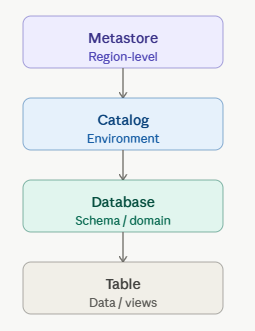
Typically, there are two approaches used to provide access.
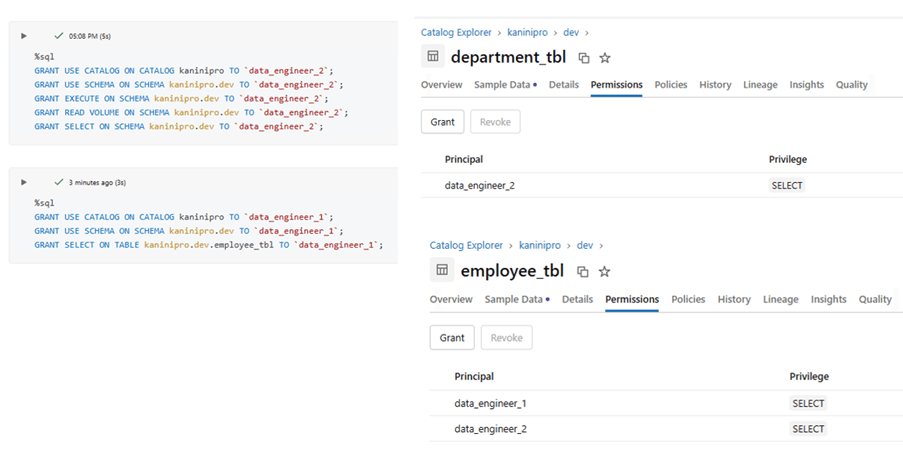
One approach is top-down access control, where access is granted at a higher-level object, and permissions are automatically inherited by all underlying objects. This minimizes the effort required to grant permissions on each individual object.
The other approach is to grant access specifically to a lower-level object, such as a table or view. In this case, permissions are granted only to the required object, ensuring that the user has only the necessary access and nothing more.
To try this, Catalog and database created with two tables.
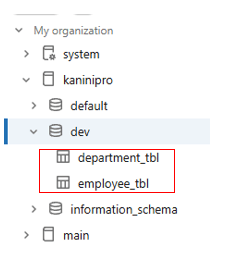
As mentioned above, the access was granted through SQL, and the changes are reflected accordingly. Unity Catalog objects provide many access control options depending on the object type; this is just a sample demonstration. I encourage you to explore all the available access control options.
Conclusion
- Access control in Azure Databricks operates at multiple layers — Account, Workspace, and Unity Catalog — ensuring security and governance across the platform.
- Properly designed access control helps organizations enforce the principle of least privilege, allowing users to access only the resources required for their roles.
- By combining Account-level RBAC, Workspace ACLs, and Unity Catalog permissions, organizations can build a secure, scalable, and well-governed data platform.
References
Authentication and access control – Azure Databricks | Microsoft Learn
https://docs.azure.cn/en-us/databricks/workspace/workspace-assets
https://docs.azure.cn/en-us/databricks/security/auth/access-control
https://docs.databricks.com/aws/en/data-governance/unity-catalog

Leave a comment