When I want to read my Unity Catalog–governed data from a non-Databricks platform, the obvious solution is to set up ETL and load the data incrementally into the other platform.
Databricks-provided Delta Sharing solves this problem by enabling data sharing without data copying or ETL setup for incremental loads.
Delta Sharing is an open protocol developed by Databricks, used for secure data sharing across organizations.
Mode of sharing
- Databricks-to-Databricks sharing protocol
- Databricks open sharing protocol
Note: Supports Read-only
Let’s experiment with the open protocol, which excites me because Unity Catalog Delta tables can be used from any computing platform.
Implementation steps
Databricks Side
- Setup databricks account with unity catalog
- Write sample data into unity catalog table
- Create Share and add the table to the Share
- Create receipt, grant access and download the profile
Client side
- Import delta-sharing library
- Write a python code to read the delta-sharing table using the downloaded profile
- Run the script
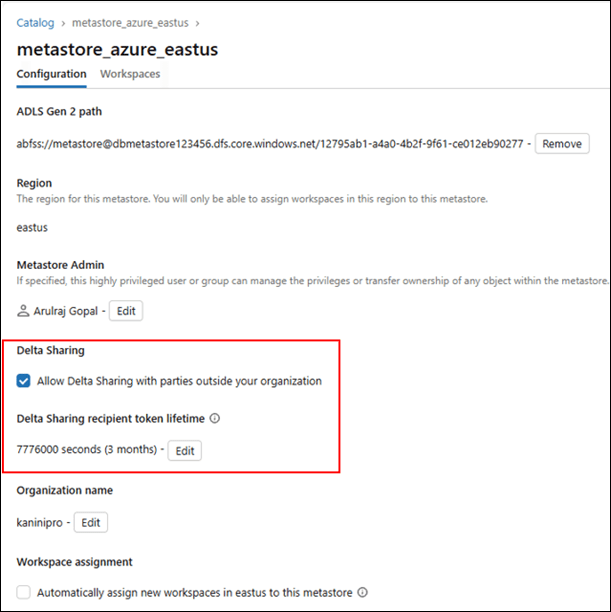
Enable delta-sharing in metastore level.
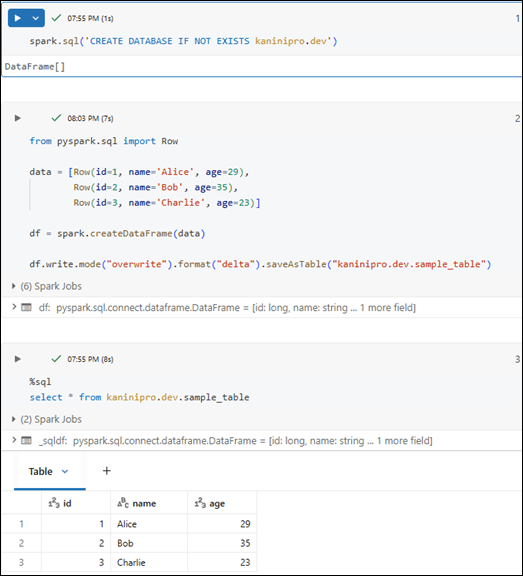
Create database, table and write some sample data into it.
Below script does the following
- Create share and recipient
- Add table to the share
- Alter recipient to recipient profile = true
- Grant select access to the recipient

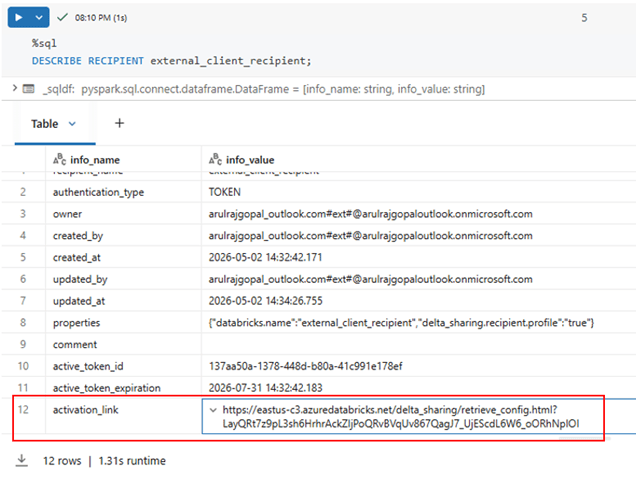
Describe the recipient, obtain the activation link, paste it into a browser, and download the file named “config.share.” The file should contain a bearer token.
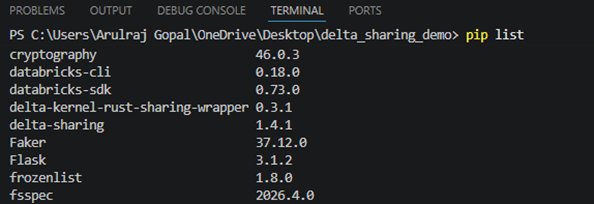
While setting up client side, install delta-sharing library.
Pip install

Using the sample Python script below, I was able to read data from the Delta table using Delta Sharing. The config file is kept in the working directory for testing purposes; however, in a real production environment, it should not be.
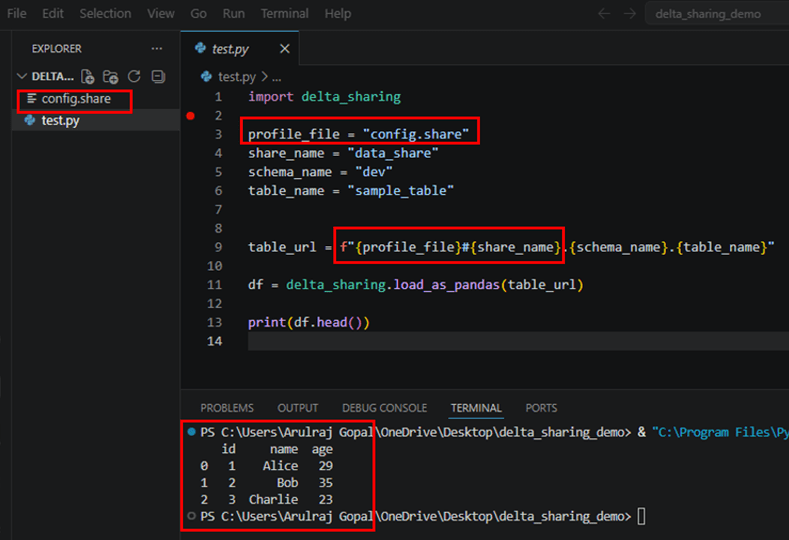
Source code the demo – https://github.com/ArulrajGopal/kaninipro/tree/main/databricks_deltasharing
Conclusion
Delta Sharing enables secure, read-only access to Unity Catalog data across platforms without the need for ETL or data duplication.
References

Leave a comment