One of the most common challenges while working with Azure Databricks is dealing with its dynamic outbound IP addresses. If you’re trying to connect Databricks to external systems like Azure SQL or third-party APIs that require IP whitelisting, this quickly becomes a problem.
In this article, I’ll walk through how I solved this by configuring a static outbound IP using an Azure NAT Gateway, making the setup more predictable, secure, and production ready.
One of the suggested approaches is to bring Azure Databricks into a virtual network and connect it to a NAT Gateway with a public static IP, which can then be whitelisted.
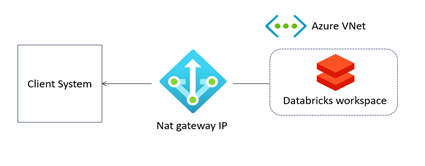
Sounds simple?
Yes, but we need to focus on proper infrastructure setup to ensure there is no leakage.
Let’s look at the full architecture diagram.
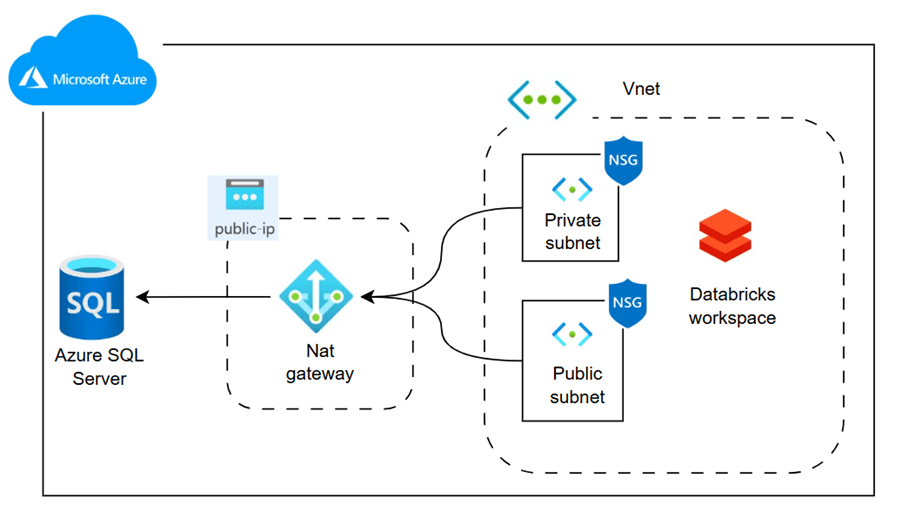
The above diagram illustrates the real-time architecture. Azure Databricks is hosted within a virtual network, along with public and private subnets and a network security group. A NAT Gateway, connected to a static public IP, is associated with both subnets. This IP is whitelisted in Azure SQL Database, enabling Databricks to securely read data from the database.
Disclaimer: I am a data engineer, not a networking expert, so there may be inaccuracies or errors. Any corrections or suggestions are welcome—please feel free to leave a comment.
Having said that, the content is verified in my own environment.
Let’s try it out!
Here is the source code infra setup using terraform and jdbc script to read sql table from databricks.
https://github.com/ArulrajGopal/kaninipro/tree/main/databricks_static_ip
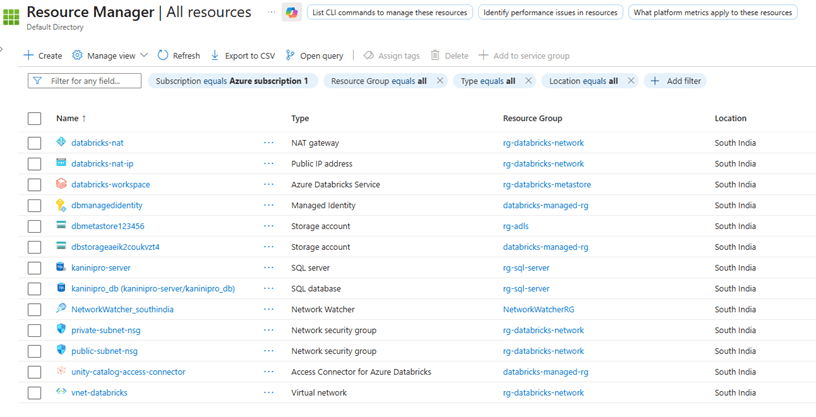
while apply the terraform code, all resources deployed and below is the databricks url along with it is nat-gateway-public-ip.
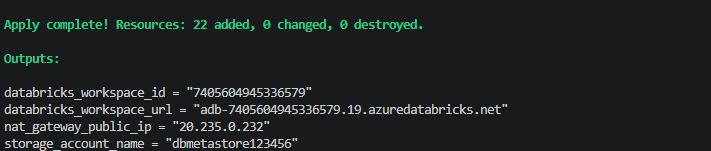
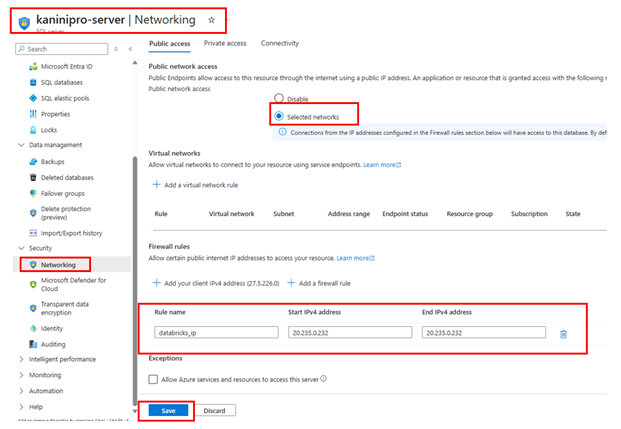
Once the infra is ready, whitelist the IP address. Usually this will happen from client end, but for this demo assuming we have the database and whitelisting from our side.
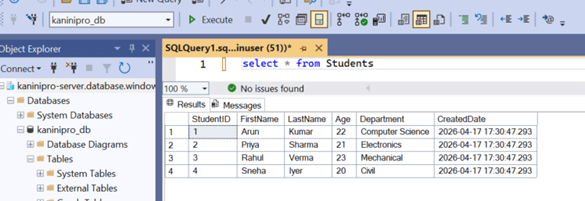
The data available in Azure SQL.
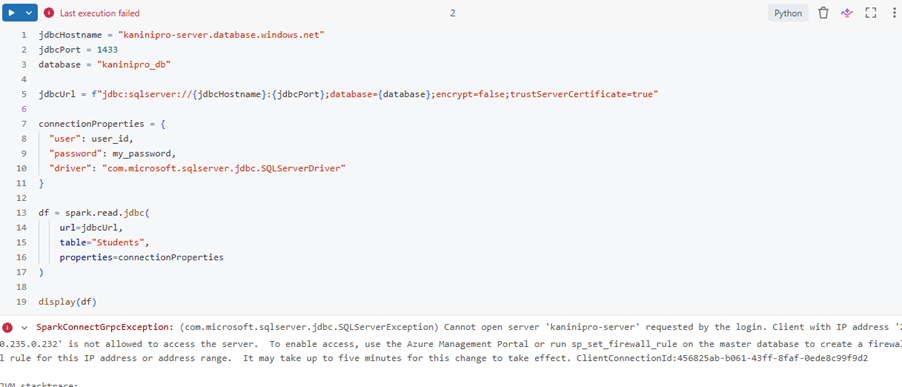
Trying it to read without whitelisting.
Whitelisting the IP address.
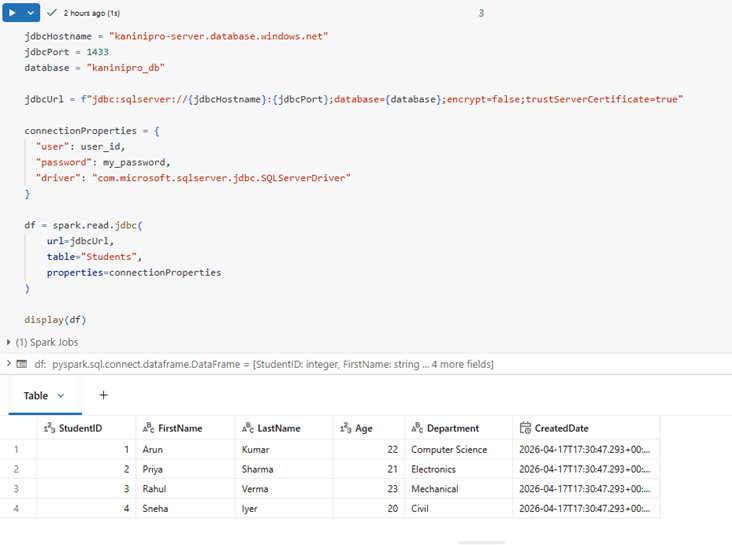
Able to access the sql server after whitelisting.
Conclusion:
Using an Azure NAT Gateway with a static public IP ensures secure, predictable outbound connectivity for Azure Databricks, simplifying IP whitelisting for external systems.
Other questions might have raised:
What is the purpose of a NAT gateway?
A NAT gateway is a Network Address Translation (NAT) service. You can use a NAT gateway so that instances in a private subnet can connect to services outside your VPC but external services can’t initiate a connection with those instances.
When creating an Azure Databricks instance, a NAT Gateway is created automatically. Can we use that?
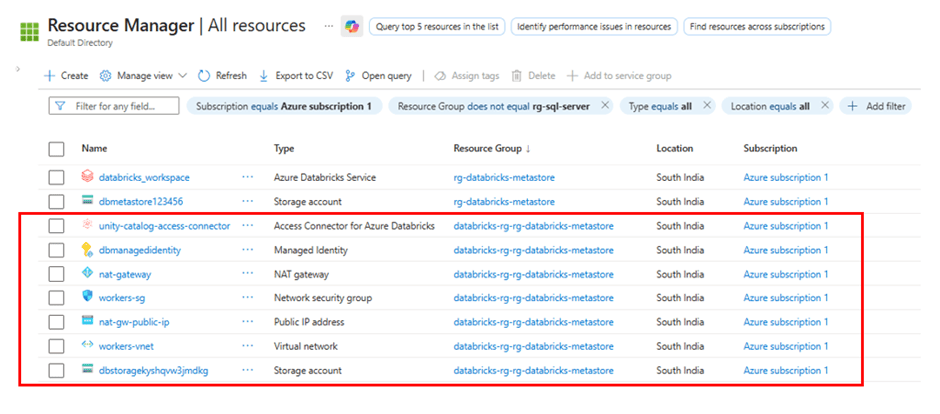
During the creation of an Azure Databricks instance, several other services are also automatically provisioned. It is not recommended to use these resources directly because they are managed by Azure Databricks and serve specific internal purposes.
Similar to the NAT Gateway, other managed services are also created alongside it to support various Databricks functionalities. The resources listed below are created together and placed in a separate resource group.
What is Vnet and Subnet?
A VNet(virtual network) is like your private network in Azure.
- Provides isolation for your resources.
- Allows resources to communicate securely with each other
Subnet is a smaller division inside a VNet.
- Divides the Vnet into the logical sections
- Helps to organize the resources based on purpose
References

Leave a comment