Identity management is essential for any application to ensure that the right people have the right level of access with the appropriate permissions. When using Azure as the cloud provider with Databricks, Microsoft provides built-in integrations that simplify identity and access management.
In Databricks, identities such as users, groups, and service principals can be created directly within the platform. Alternatively, identities that already exist in Microsoft Azure (Microsoft Entra ID) can be synchronized with Databricks, allowing organizations to centrally manage identities and access.
Let’s demonstrate how identities can be created and synchronized between Azure and Databricks.
Prerequisite
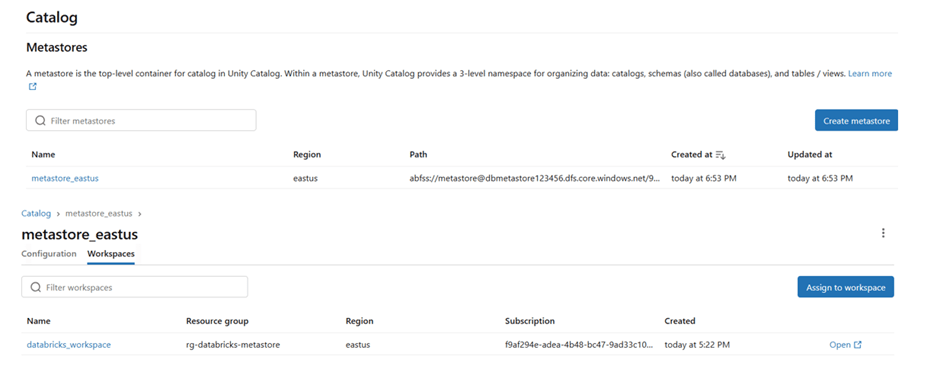
Have a Databricks workspace with Unity Catalog enabled and a metastore configured for centralized data governance.
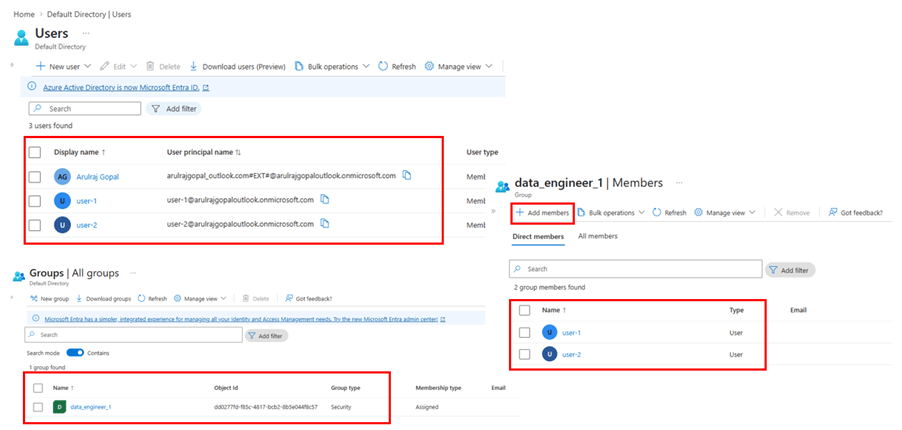
Create user and group in Microsoft Entra ID
The below users and groups created in Microsoft Entra ID and the users added in the group.
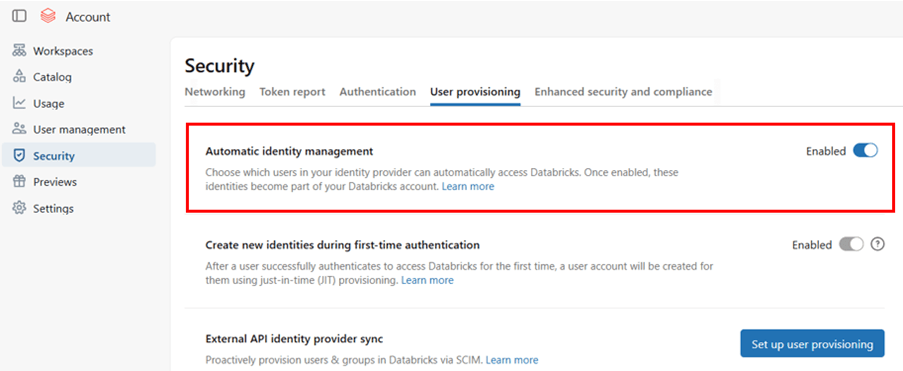
Enable Automatic Identity management
Traditionally, this required configuring SCIM provisioning, which automatically syncs users and groups from Entra ID to Databricks.
When automatic identity management is enabled, all users, groups, and group memberships sync from Microsoft Entra ID to Azure Databricks so SCIM provisioning is not necessary.
Databricks recommends using automatic identity management.
Login Databricks account console – https://accounts.azuredatabricks.net/ and enable Automatic identity management.
Once Automatic Identity Management is enabled, the Microsoft identities become available and can be synchronized (pulled) into Databricks.
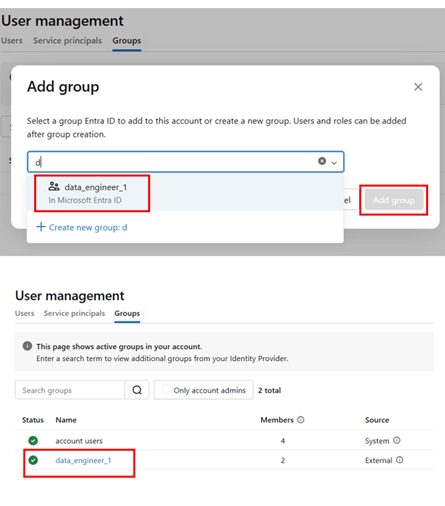
Through the admin account, open the group and grant the required access to the workspace and warehouses.
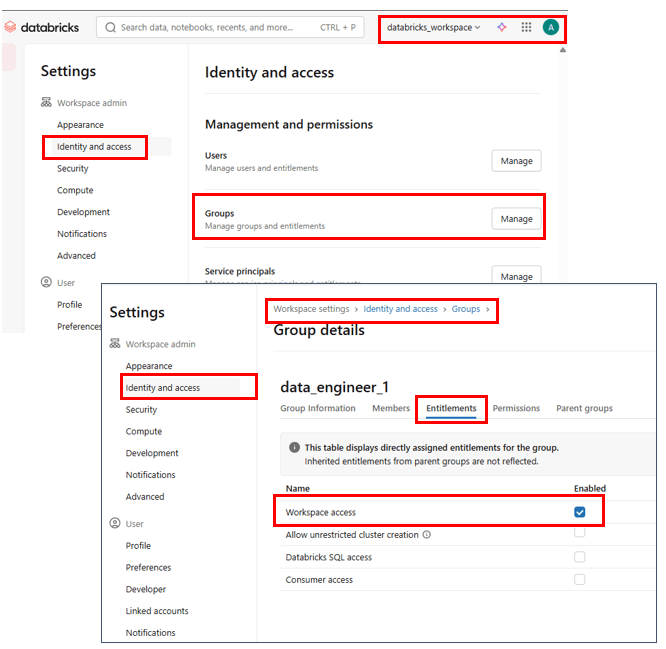
Only workspace access is selected, because of the user is data engineer and needed data engineering specific access.
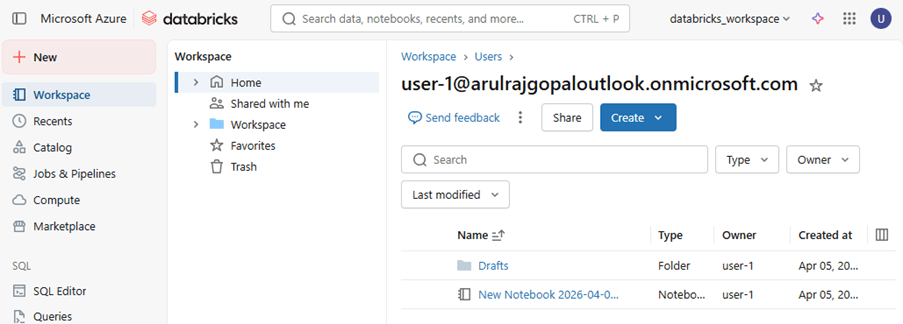
Login using the user-1 account, and the user can access the Databricks workspace based on the permissions granted.
References
https://learn.microsoft.com/en-us/azure/databricks/admin/users-groups/scim/aad
https://learn.microsoft.com/en-us/azure/databricks/admin/users-groups/automatic-identity-management
 KaniniPro
Leave a comment