Managing secrets is a core part of any application. Hardcoding secrets directly in notebooks or code is highly vulnerable. Therefore, systems provide secure ways to store secrets and use them when and where required, without exposing them directly in the code.
Databricks provides a feature called Secret Scope, where we can securely store secrets. A secret scope is a collection of secrets identified by a name.
Azure Databricks provides two options to manage secrets:
- Azure Key Vault–backed secret scopes – Secrets are stored in Azure Key Vault and accessed through Databricks.
- Databricks-backed secret scopes – Secrets are stored and managed directly within Databricks.
Let’s explore both the ways in the article.
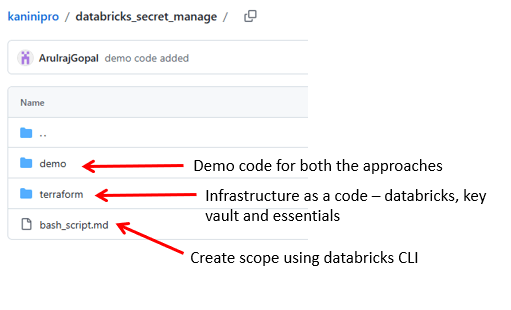
Below is the source code used in this article. – https://github.com/ArulrajGopal/kaninipro/tree/main/databricks_secret_manage
Azure key vault backed secret scope
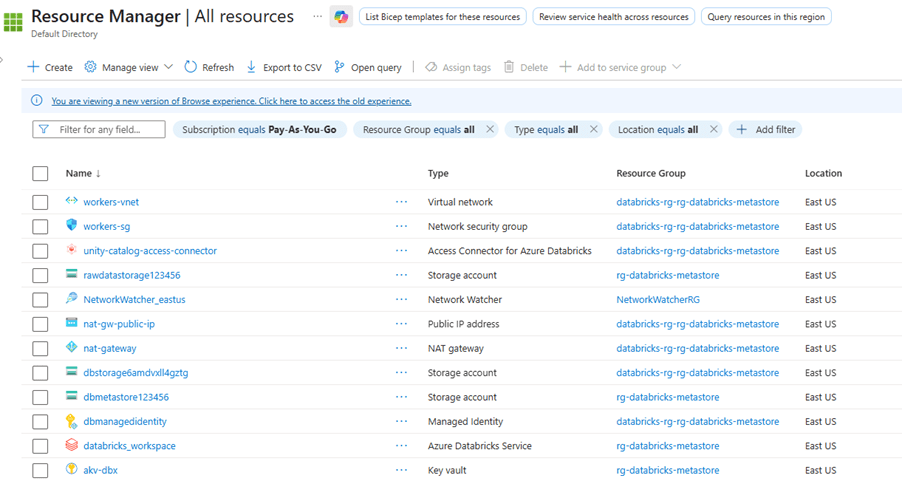
Using the attached terraform code the below items are deployed.
- Necessary Resource groups
- Azure databricks
- Storage account
- For unity catalog metastore with container
- For storing raw data for this exercise
- Databricks access connector with storage blob contributor role
- Azure Key vault
Note:
- Sample data has been added to the raw data storage account.
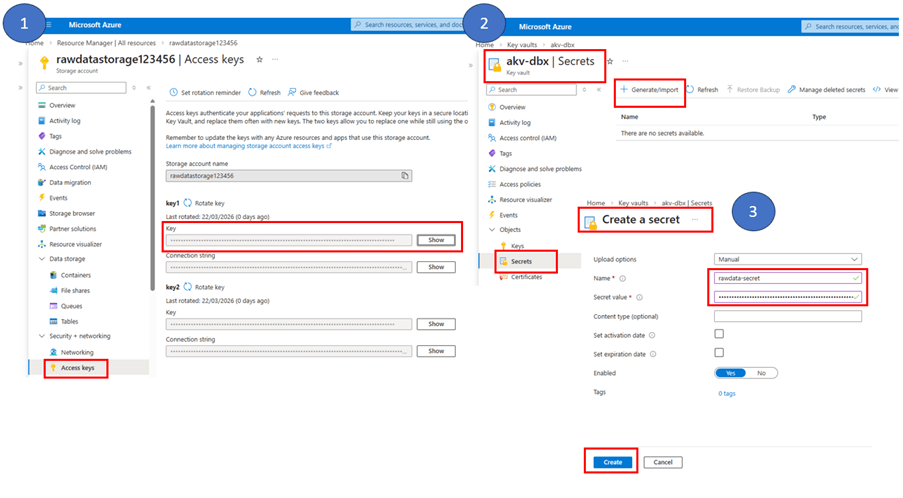
- In the Terraform code, while creating the Azure Key Vault, access policies were added for both the service principal and the admin user so that the admin user can manually add secrets in the Azure Key Vault.
Get access key from storage account and add secret in azure key vault secret
Integrate azure keys from key vault into scope using below URL.
| <workspace_url>#secrets/createScope |
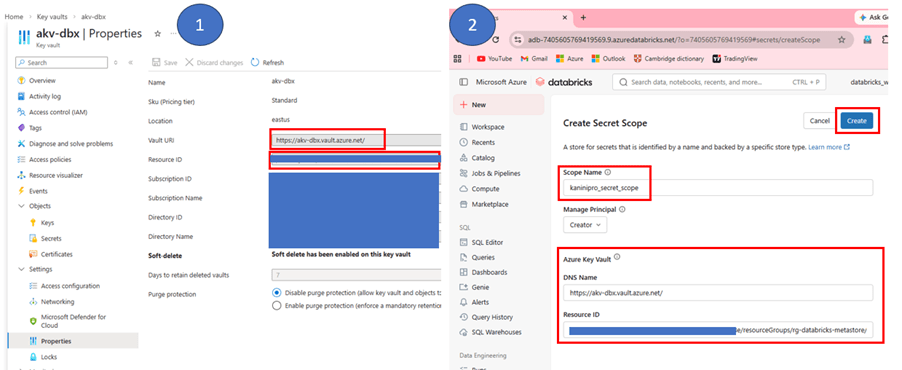
Once scope created, run the demo code by calling scope.
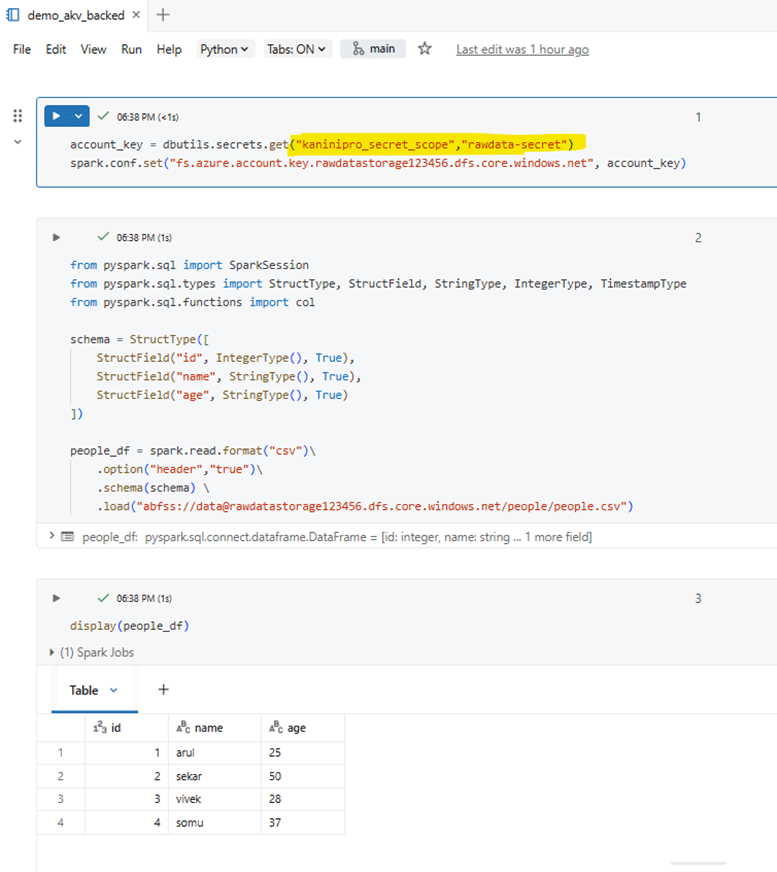
Databricks backed secret scope
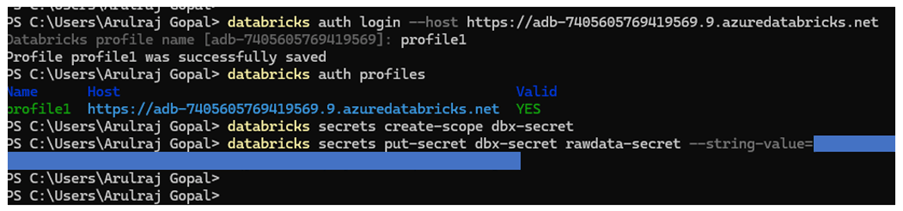
Databricks auth login
| databricks auth login –host <workspace_url> databricks auth profiles |
Databricks create scope
| databricks secrets create-scope <scope-name> databricks secrets put-secret <scope-name> <secret-key-name> –string-value=<secret-value> |
Once scope is created, run the demo code by calling the scope.
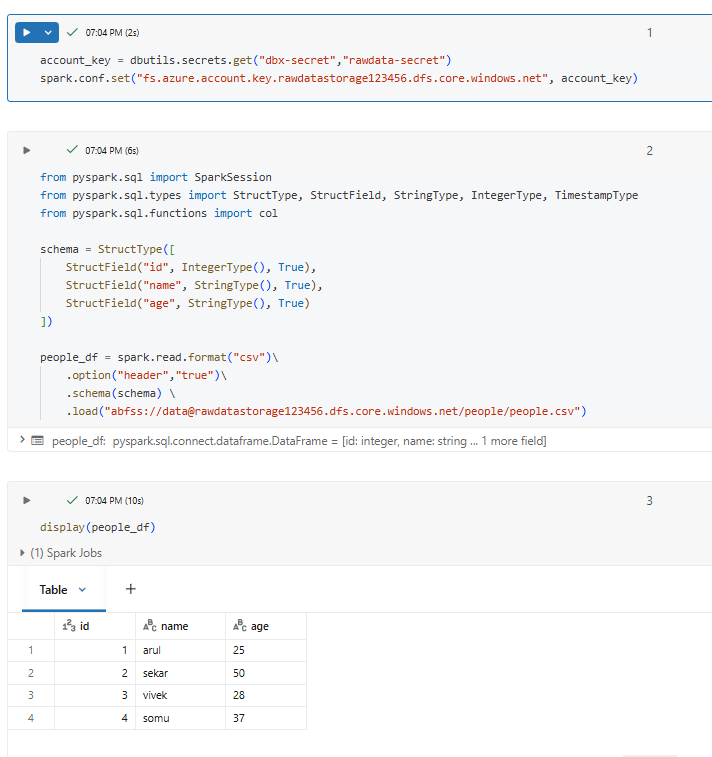
As seen in demo, both are reliable and manages the secrets without exposing into the code directly.
Choose between Azure Key Vault–backed and Databricks-backed secret scopes based on where and how you want to manage secrets.
- Azure key vault backed is preferred when secrets are already managed centrally in Azure key vault and will be used across azure services
- Databricks-backed secret scope is suitable for Databricks-only workloads where secrets are simple and do not require external secret management. It is easier to set up because secrets are stored directly inside the Databricks workspace.
References
https://learn.microsoft.com/en-us/azure/databricks/security/secrets/
 KaniniPro
Leave a comment