If you are already using Databricks and thinking about moving to another platform just to get data warehouse capabilities, it might be worth reconsidering.
Databricks SQL provides powerful data warehousing capabilities directly on top of your existing data lake.
It is a collection of services designed to bring data warehouse performance, governance, and usability to the Lakehouse architecture.
Databricks SQL supports open data formats and standard ANSI SQL, making it easy for data engineers, analysts, and BI tools to work with data efficiently.
Key benefits of Databricks SQL
- Query editor – A built-in workspace where you can write, execute, and manage SQL queries directly inside Databricks.
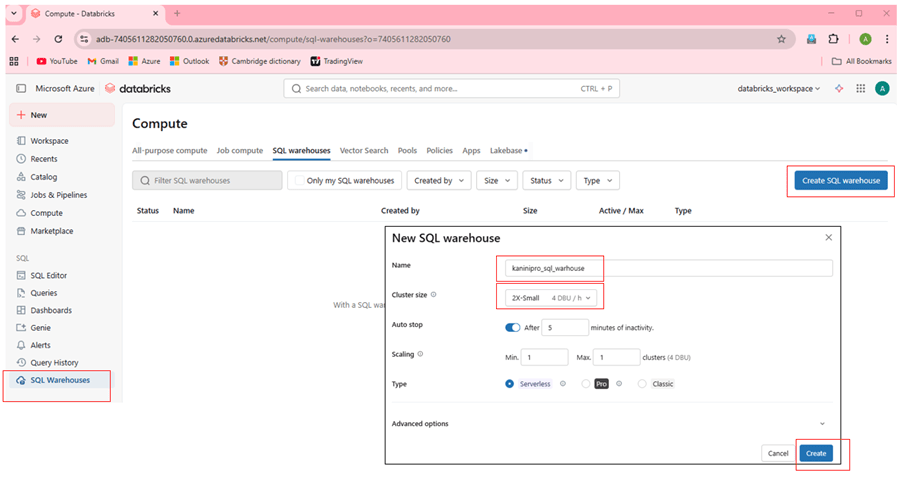
- SQL warehouse (compute Engine) – designed to execute SQL queries quickly and efficiently for the analytical workloads. By the way we can implement serverless and pay as you go.
- Databricks SQL connector – All external applications to connector with databricks SQL and retrieve data programmatically
- BI Tool Integration – seamlessly integrates with famous BI tools like tableau and Power BI or used for databricks dashboards for dashboarding and reporting
- Self-service Analytics – enables SQL users to explore the data without any dependency with data team.
let’s setup databricks and query from python program.
Steps to implement
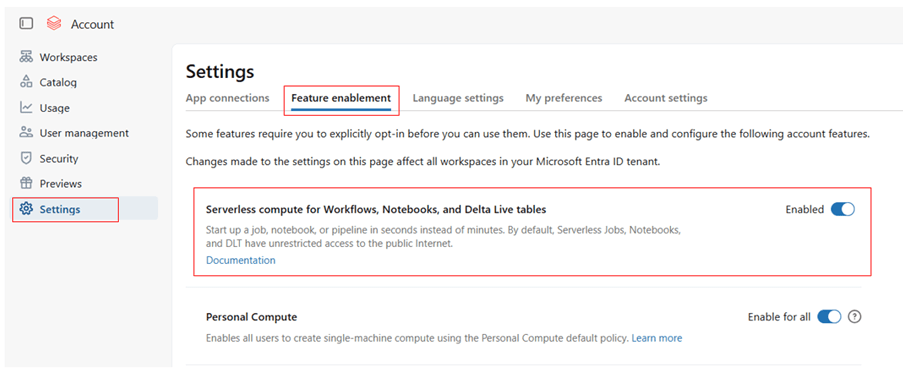
- Enable serverless compute in databricks account level
- Create SQL warehouse
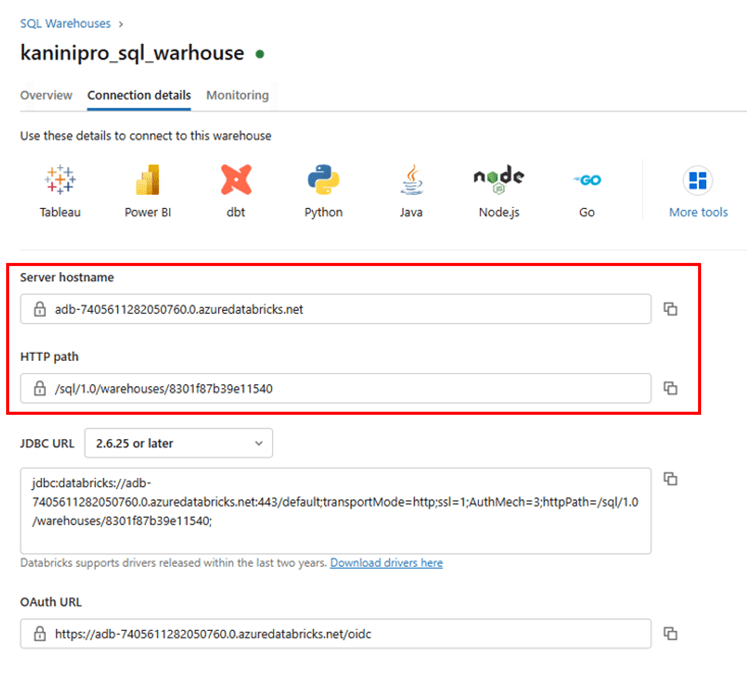
- Get connection details
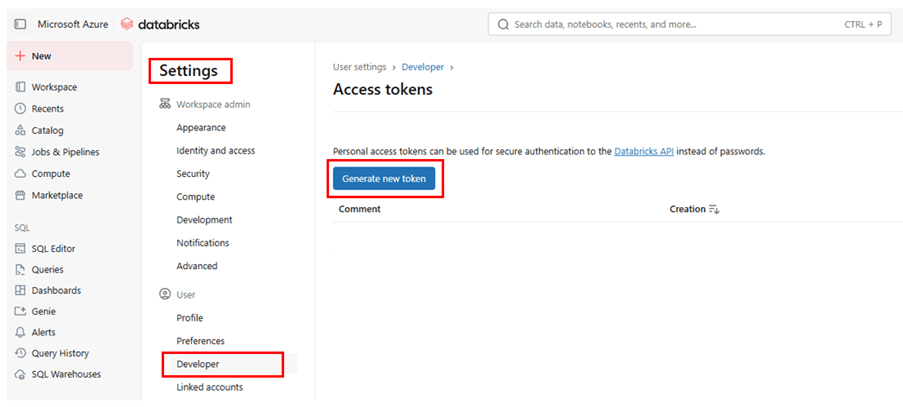
- Get databricks access token
- Configure in python program and run it.
Enable serverless compute
Login databricks account level – https://accounts.azuredatabricks.net/
Create SQL warehouse

Get connection details
Get databricks access token
Setup python program environment
Source code – https://github.com/ArulrajGopal/kaninipro/tree/main/Python_DBX_SQL_warehouse
Environment setup using UV
| uv init uv python pin 3.12 uv add databricks-sql-connector pandas uv run main.py |
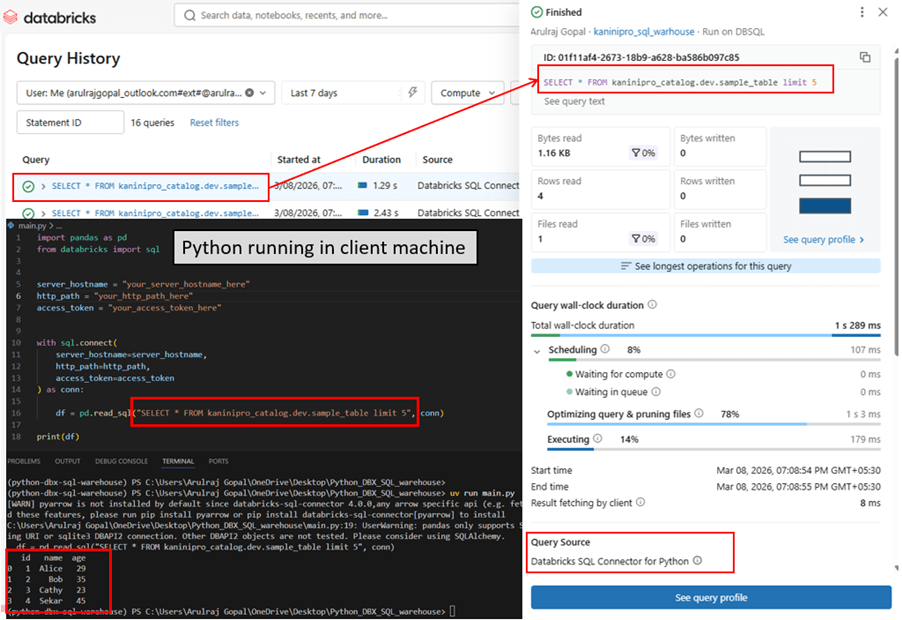
The following Python program runs on the client machine and executes a query on Databricks SQL. The query appears in the Databricks Query History, allowing it to be monitored similarly to serverless compute workloads and it is exactly replicating Datawarehouse capabilities.
Conclusion
Databricks SQL brings powerful data warehouse capabilities directly into the Databricks Lakehouse platform, eliminating the need for separate data warehouse solutions. With features like SQL Warehouses, BI integrations, and programmatic access through connectors, it enables fast, scalable, and self-service analytics. By combining data lakes and data warehousing in one platform, Databricks SQL simplifies modern analytics architecture.
Happy learning !!!
 KaniniPro
Leave a comment