Databricks Serverless Compute is a fully managed compute option where Databricks automatically provisions, scales, and manages the infrastructure — you don’t create or manage clusters at all.
Before setting up serverless compute, let’s understand where it fits within the Databricks architecture. Let’s look at the Databricks high-level architecture. The diagram below describes the classic architecture with a serverless compute plane. There is also something called the Serverless Workspace Architecture, which we are not covering in this article.
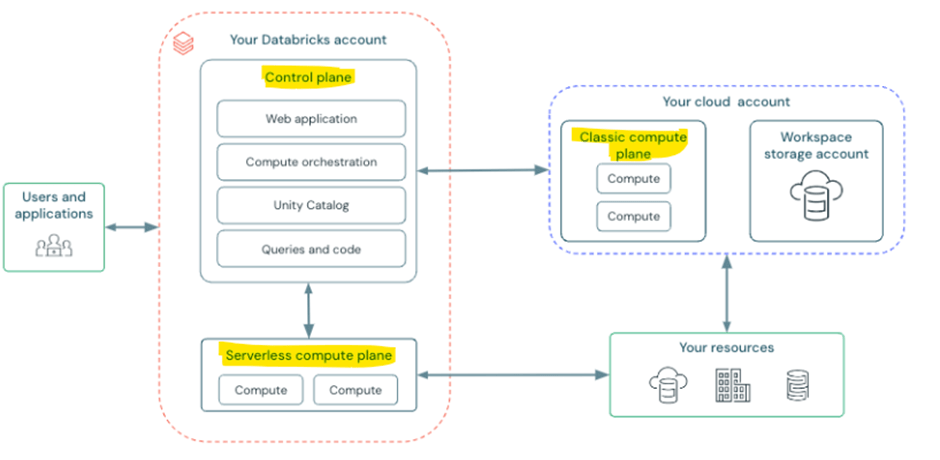
Control plane – Managed by databricks at Azure databricks account level. It is not user’s cloud account.
Compute plane – where the data processed.
- Serverless compute plane – which contains serverless compute resources and runs in azure databricks account level
- Classic compute plane – the compute resources run in the user cloud account.
Important features of serverless compute
- Serverless notebooks
- Serverless jobs
- Serverless SQL warehouses
- Serverless Lakeflow Spark Declarative Pipelines
- Mosaic AI Model Training – forecasting
Advantages of serverless compute
- Easy spin up, no cluster start time
- No cluster management
- By default, photon engine enabled
Things to check before implementing serverless compute
- Workspace must be unity catalog enabled
- Must be in supported region. (serverless is not supporting all regions)
Setting up serverless compute
- Feature enablement
- Network connectivity configuration (NCC)
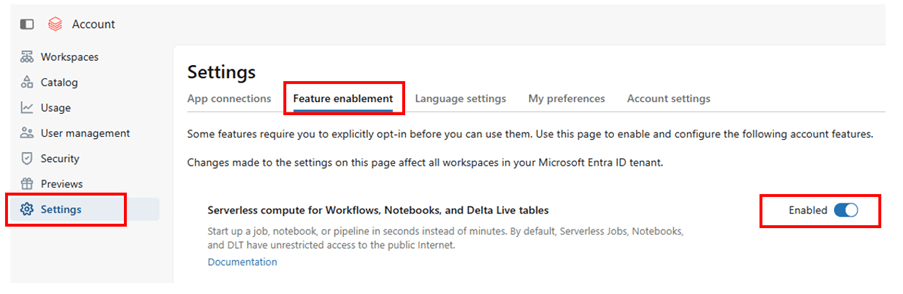
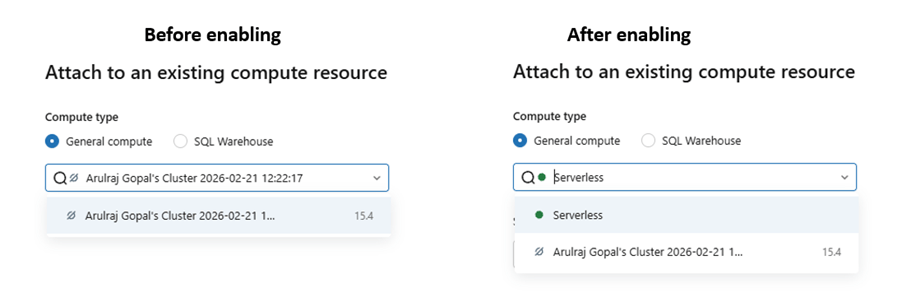
Feature enablement – enable serverless compute in account level by logging in to https://accounts.azuredatabricks.net/
Network connectivity configuration
It is needed when the serverless compute must securely access private resources inside your cloud network.
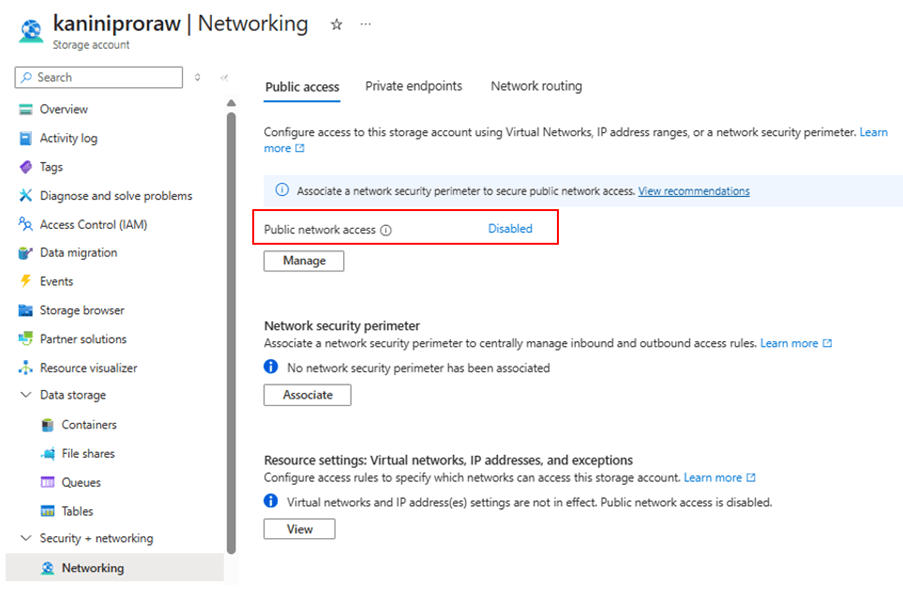
If your storage account is not exposed to the public network, you need to establish private connectivity to access it securely.
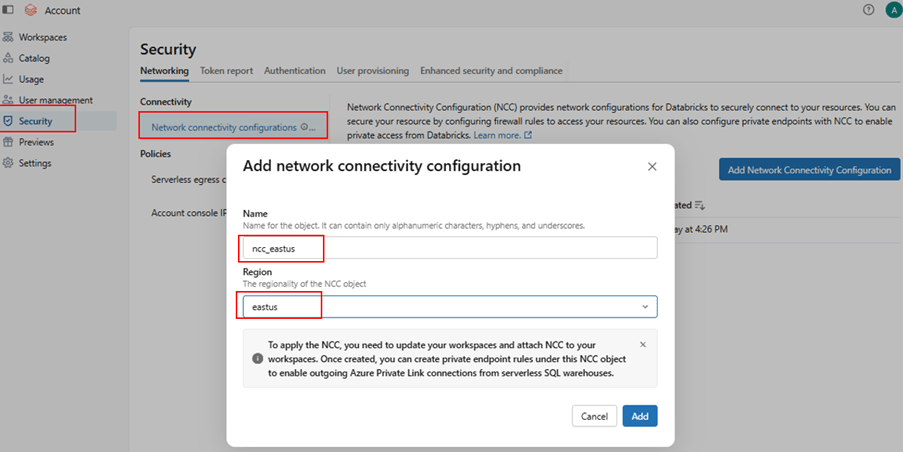
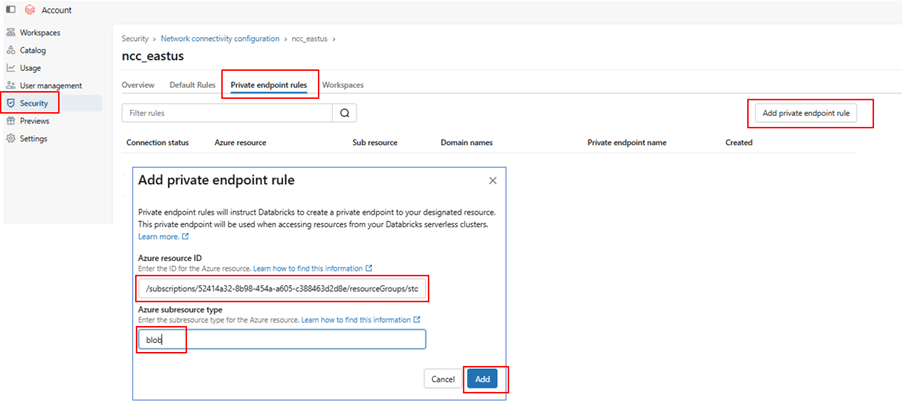
In this case, create a Network Connectivity Configuration (NCC) in Databricks and attach it to your workspace. Then, add a Private Endpoint that connects to your ADLS account.
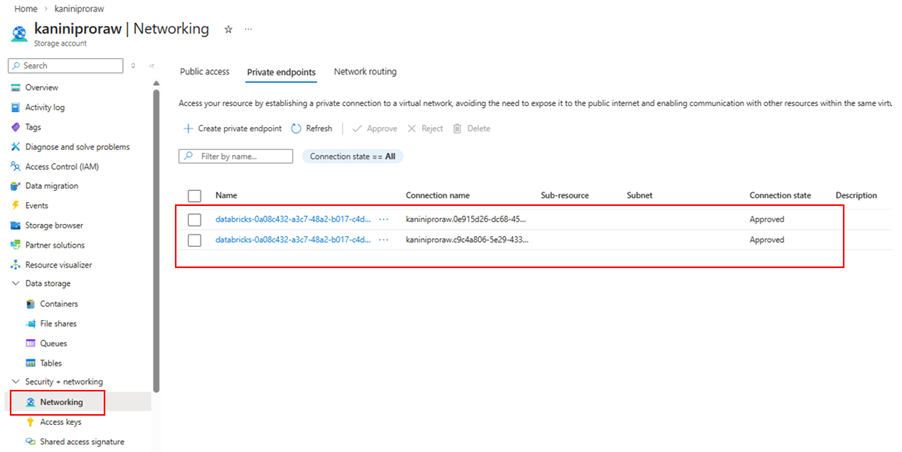
After creating the private endpoint, go to the ADLS (Storage Account) side and approve the private endpoint request.
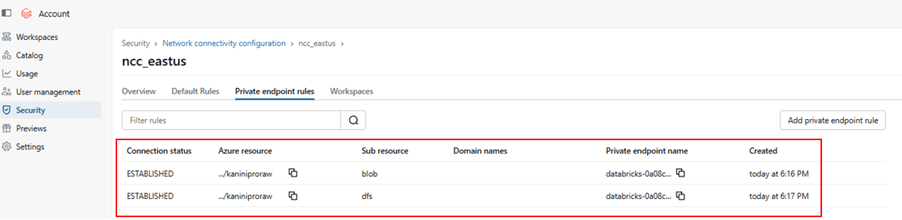
Once approved, the connectivity will be established securely over the private network, and your Databricks compute can access the storage account without public exposure.
Storage account with public access disabled.
Create NCC
Add private endpoint rule
Approve it from ADLS networking tab.
With this private endpoint established.
Notebooks with serverless compute
After completing the network setup, switch your notebook to Serverless compute and run your query directly. Since the Network Connectivity Configuration is attached and the Private Endpoint is approved, Serverless compute can securely access both:
- Data governed by Unity Catalog
- Data stored in the external location via private connectivity
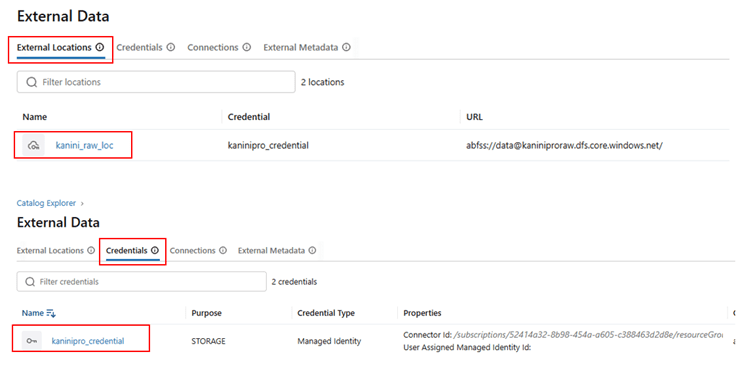
Setup external location and credential, in case of accessing external data.
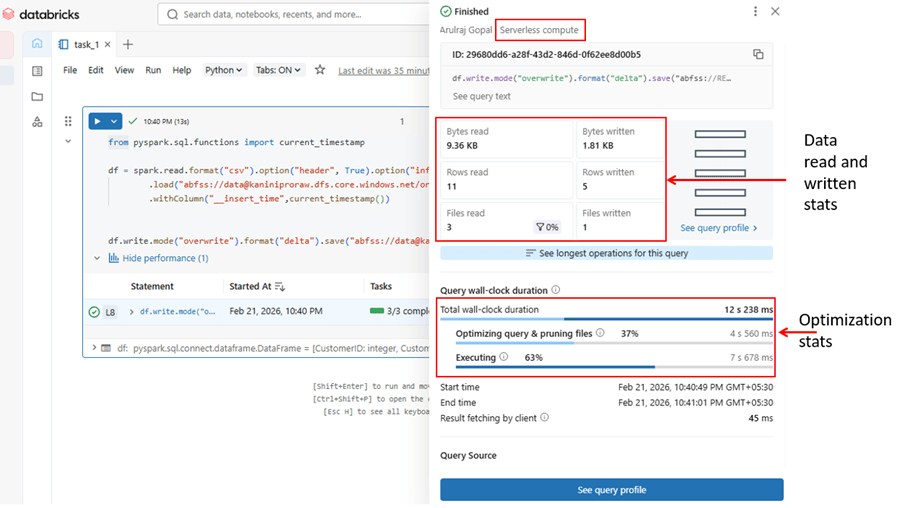
Reading and write data using serverless compute
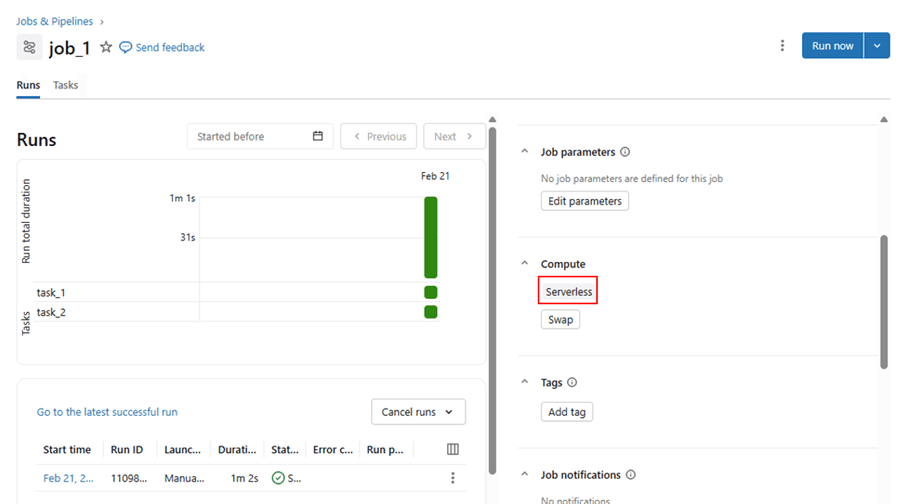
Jobs with serverless compute
Jobs created with serverless and able to run successfully.
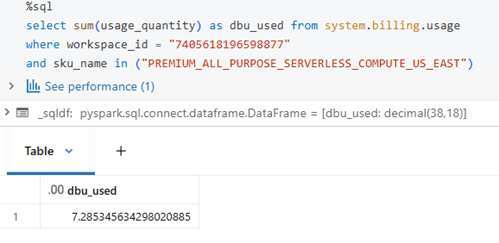
Usage analysis with serverless compute
Like classic compute, serverless compute usage can also be measured using system tables. The SKU name below indicates serverless usage for notebooks. The same approach can be used for jobs; however, DBU usage for jobs may take some time to sync with the system tables.
Conclusion
Serverless Compute in Azure Databricks simplifies infrastructure management by eliminating cluster operations while providing secure, scalable, and optimized compute through Unity Catalog integration and private connectivity.
By enabling feature access and configuring Network Connectivity properly, organizations can securely process both governed and external data with minimal operational overhead and maximum performance efficiency.
 KaniniPro
Leave a comment