As we know, Delta Lake tables are designed for the lakehouse architecture, combining the flexibility of a data lake with data-warehouse capabilities such as ACID transactions.
Delta Lake also provides strong data-governance features, especially for tracking data changes. Two of them are Change Data Feed and Row Tracking, which we will explore in this article.
Before we explore and experiment further, it’s important to understand that Delta Lake inherently maintains a complete history of table changes. This history enables powerful features such as time travel, which allows querying data from a specific version or timestamp, and restore, which makes it possible to revert a table back to a previous state. Let’s take a brief look at these capabilities.
Pyspark code to create a table and update the data.
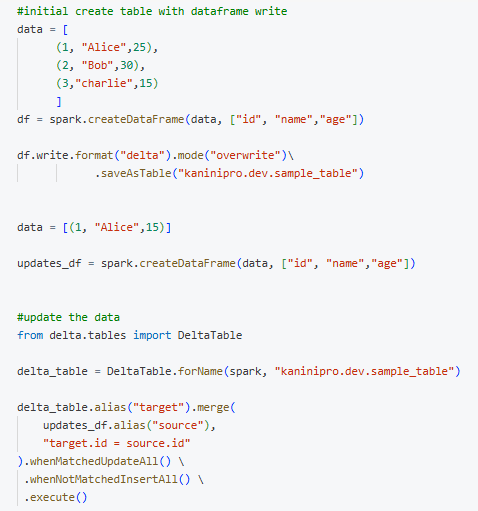
Looking into the history,
Note: Even though there is one create and one update, there are a total of three versions. The third version is created by OPTIMIZE, which Databricks runs for performance improvement. There is no data change involved. This will be discussed in upcoming articles.

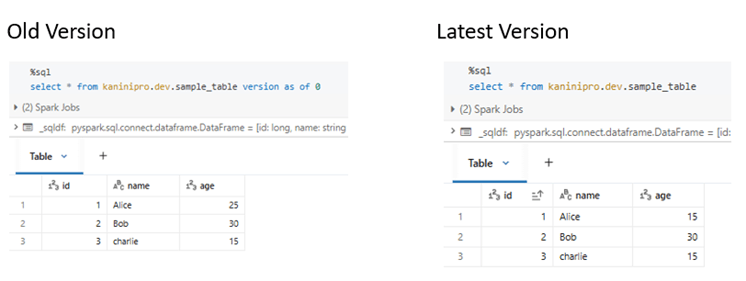
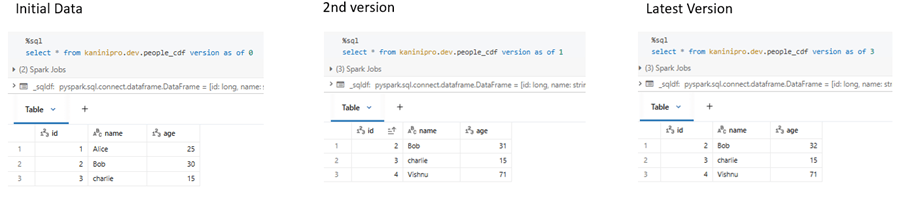
Time travel feature gives ability to query different version of the table.
Restoring to an older version can be done by providing the version number. Alternatively, a timestamp-based restore can also be used, as noted in the comment.
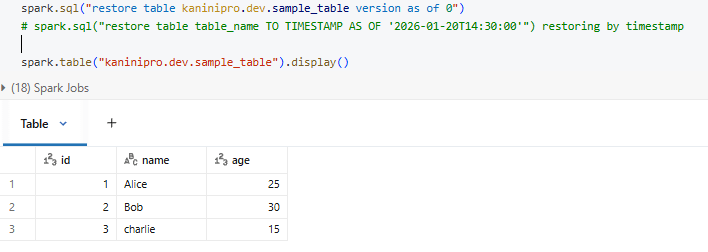
This makes clear how time-travel and restoring the table can be used.
Now let’s explore Change Data Feed (CDF).
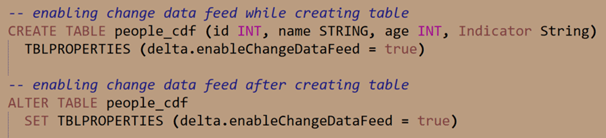
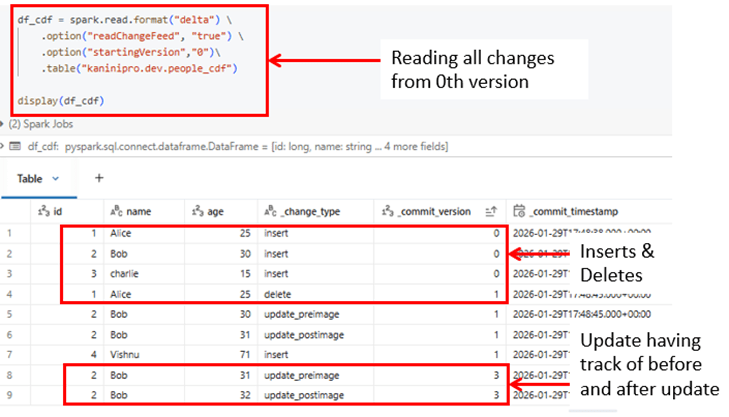
It captures row-level changes from a specified version and identifies whether each change is an insert, update, or delete along with commit version and committed timestamp. As shown in the sample table, updates across versions can be combined and read together by enabling CDF.
By providing a starting version, all subsequent changes can be captured into a single dataset, on top of which transformation logic—such as deduplication and processing based on the latest state—can be applied.
Row level tracking
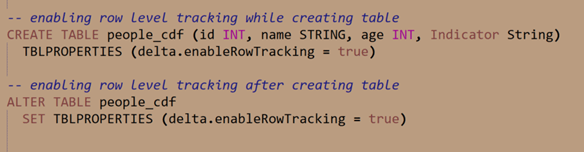
It assigns stable and unique row id to each record and preserves row identity across updates, deletes, merges, and compaction operations.
This enables precise change detection, auditing, and point-in-time comparisons at row level.
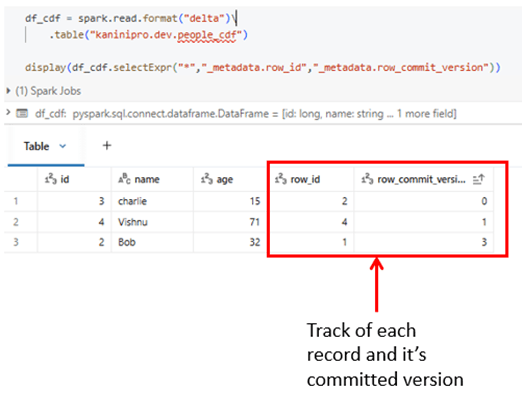
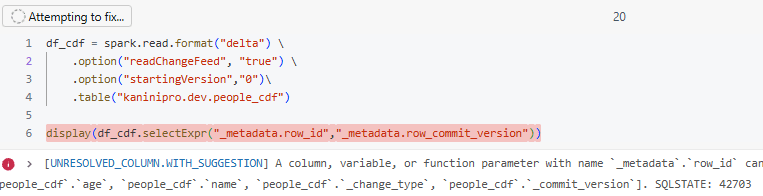
Note: – while reading with change data feed row tracking columns will not be accessed.
Source code – https://github.com/ArulrajGopal/kaninipro/tree/main/databricks_cdf_rowtrack
Closing thoughts
Time travel and restore manage table-level history, while Change Data Feed and Row Tracking enable precise, row-level change tracking for reliable downstream processing and governance.
References
https://docs.databricks.com/aws/en/delta/table-properties
https://docs.databricks.com/aws/en/delta/delta-change-data-feed
 KaniniPro
Leave a comment