Databricks Lakeflow Jobs provide a powerful way to orchestrate notebooks and data processes directly inside Databricks without relying on external orchestration tools like Azure Data Factory, Airflow, or Dagster.
A key requirement for modern data engineering is keeping job definitions as code and deploying them consistently across environments. This is exactly where Databricks Asset Bundles help — they allow you to package and deploy Lakeflow Jobs in a repeatable, code-driven way.
By combining Lakeflow Jobs with Asset Bundles, Databricks data processing becomes more robust, scalable, and version-controlled. This setup also integrates naturally with CI/CD pipelines.
In this article, the focus is on manual deployment across environments using a project repository with version control but not using CI/CD pipelines, while still leveraging the strengths of the Lakeflow + Asset Bundle approach.
Below are considered as assets in databricks
- Lakeflow Jobs
- Lakeflow Spark Declarative Pipelines
- Dashboards
- Model Serving endpoints
- MLflow Experiments
- MLflow registered models
Flow
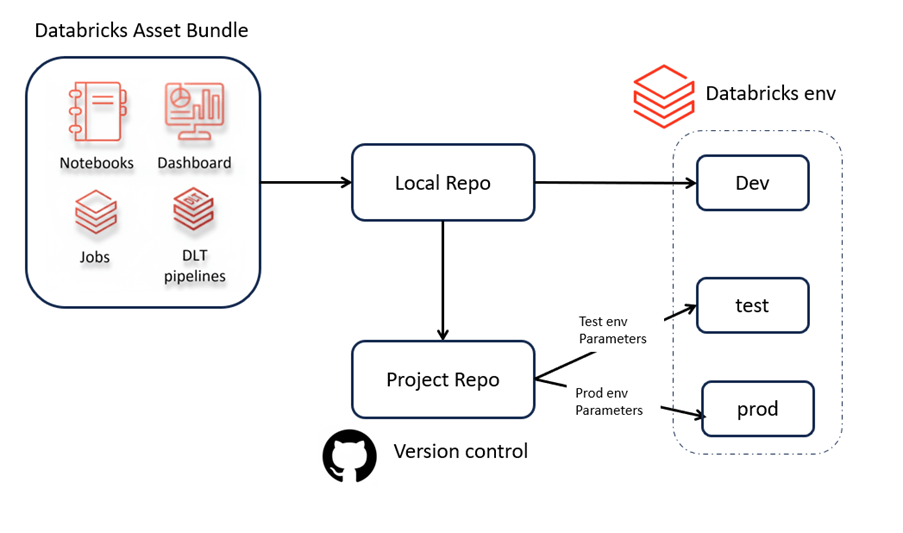
Demo Objective
Managing 3 Databricks workspaces with Databricks Asset Bundles, deploying from the same repo, using environment-specific parameters, and running pipeline tasks in PySpark + Scala, fully configurable and isolated per workspace.
Steps
- Install databricks cli
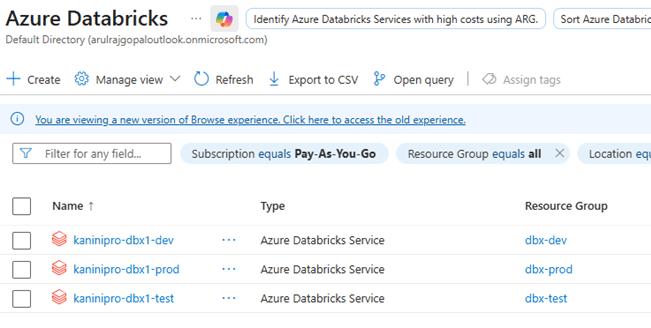
- Spin up required databricks instances (3 databricks instances)
- Spin up 3 Storage account instances.
- Data prepare
- Authenticate all three using databricks cli oauth
- Authenticate setup for storage account through databricks secret scopes
- Initialize bundle
- Do the changes as per project need
- Validate bundle
- Deploy bundle
- Run the jobs and test it.
- Destroy the bundle
Source Code & Explanation
https://github.com/ArulrajGopal/kaninipro/tree/main/databricks_bundle_deploy_jobs
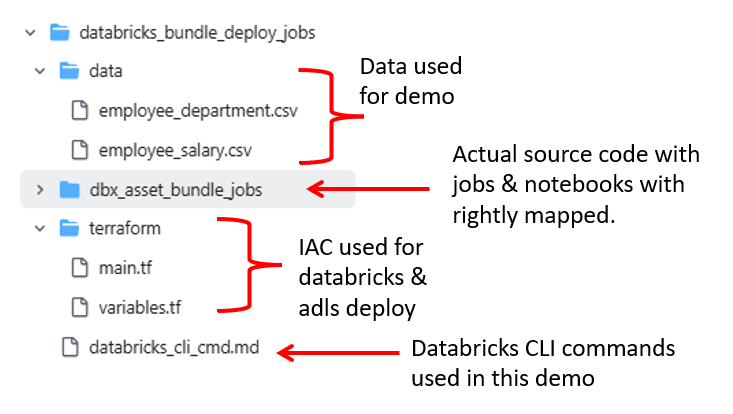
Practical
Databricks instances and ADLS instances spin-up complete.

Copy the data into all three storage account sources.

Databricks authentication

Databricks Scope creation, key creation, and configuration.

- Get access key from ADLS and configure it in key

All set, now initialize the bundle.
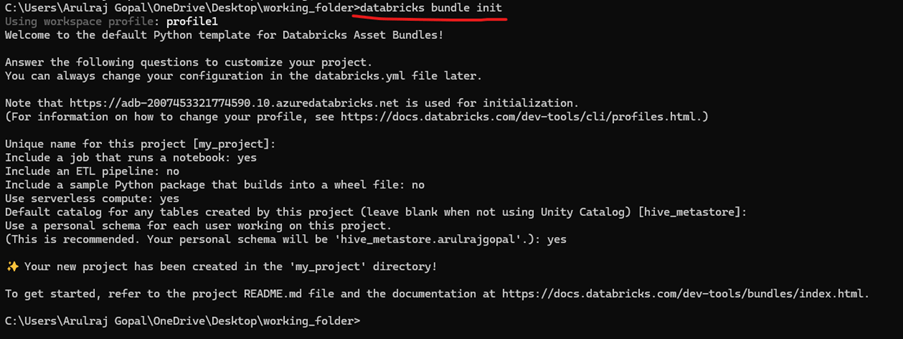
When the Databricks Asset Bundle is initialized, it generates the basic template with the default init structure. From there, I updated the notebooks and the job YAML files — including the main databricks.yml. The pipeline now contains three tasks: Task 1 and Task 2 read data from the storage account and write into their respective tables, while Task 3 consumes the outputs from those tasks, performs joins and aggregations, and loads the final result into a gold table.
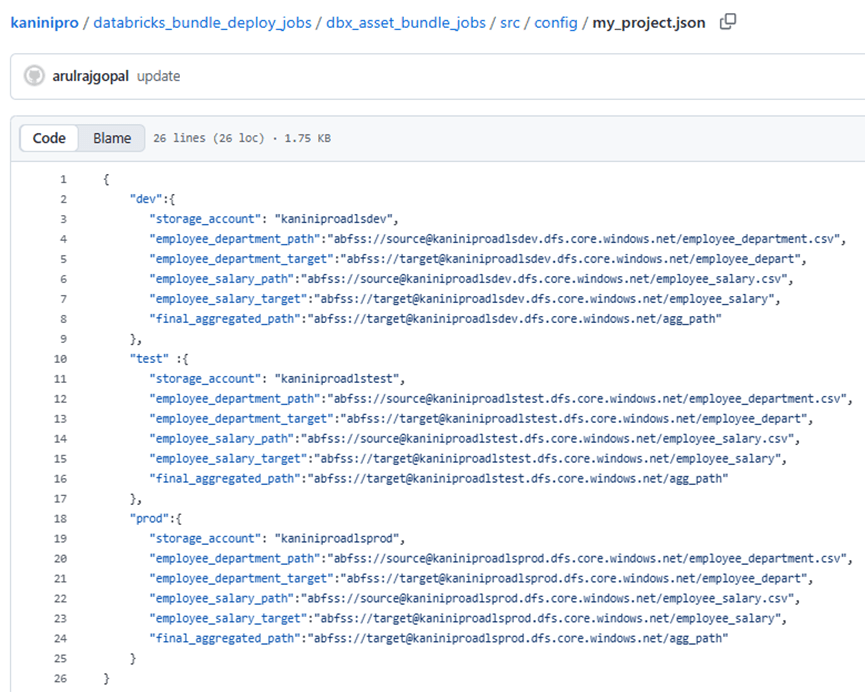
Because the input data differs by environment, I made the entire flow configurable. Each job now reads from its own storage account, determined dynamically using the environment variable env, which is passed through databricks.yml. This ensures every environment (dev, test, prod) runs the same code but with its own isolated storage paths.

Config
Once job & notebooks are ready, we can validate it using below.

And now just shoot – databricks bundle deploy. Magically all jobs & notebooks appears in the databricks environment.

You may wonder which environment the bundle is deployed to. In our setup, it lands in dev by default, because the databricks.yml file is configured with dev as the default environment. This ensures the initial deployment always targets development unless explicitly overridden.
When we need to deploy into higher environments or non-default environment, need to mention the target & profile explicitly.

Run the job to make sure it is working end to end.

Destroying after the demo completed.

Conclusion
Databricks Asset Bundles make Lakeflow Jobs fully portable, letting you deploy the same code seamlessly across multiple environments with simple configuration switches. This approach ensures clean, consistent, version-controlled data pipelines that are easy to manage, test, and tear down anytime.
References
 KaniniPro
Leave a comment