Focusing on performance is important—but that doesn’t mean a data team cost comes cheap. As requirements grow more complex, you need skilled data engineers, and that naturally increases cost.
One of the most effective ways to reduce that cost is to keep your code simple.
Databricks gives us several built-in features that make development easier, cleaner, and safer. Many of these can be derived from first principles, but since we already have ready-made commands, why not use them?
Below are a few practical tricks to simplify your Databricks codebase and your engineering life:
- Use metadata.filename to capture file-level details in a DataFrame
- Use eqNullSafe for safe equality checks
- Use built-in array sort
- Apply inline transform on arrays
- Leverage PySpark DataFrame equality functions for testing
- Prefer unionByName over union
Read file with metadata
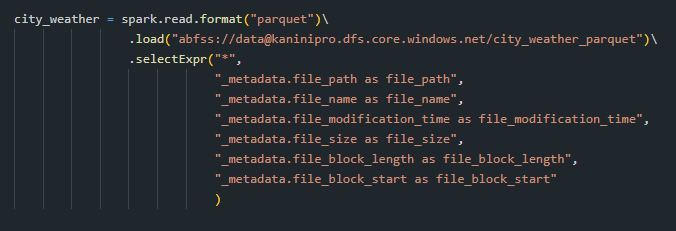
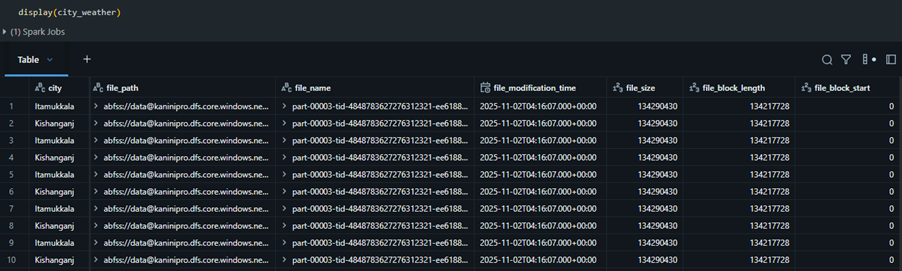
Sometimes we need to trace a specific record back to its source file—especially during debugging, lineage checks, or auditing. Spark makes this easy by allowing you to capture file-level metadata directly while reading data.
eqNullSafe for safe equality checks
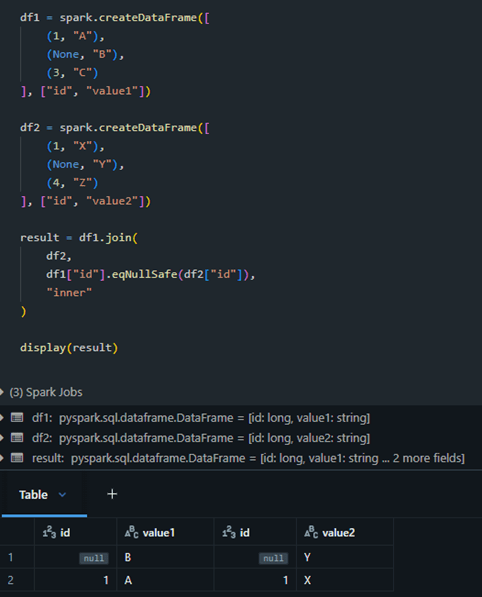
In Spark, == cannot compare NULL values — any comparison with NULL returns NULL (i.e., unknown).
But sometimes you want:
- NULL == NULL → true
- NULL == value → false
eqNullSafe will be best option at here.

For joins also, it will be applicable.
Use built-in array sort
To sort an array inside a DataFrame, one approach is to flatten the array and sort it like a regular DataFrame column. However, a much simpler method is to use the built-in array sorting functions, which let you sort the array without flattening the data.
This becomes especially useful when you need to compare arrays or perform hash operations where a consistent element order is important.
Sample dataset to test.


Below is the difference found after sorted for id = 3

Apply inline transform on arrays
When working with arrays and structs (i.e. JSON datasets)—you often end up flattening the data to analyse or transform it. This is where inline transformations become extremely useful.
The example below compares two array-of-struct fields and identifies the items that exist in one array but not in the other. Since each item is a struct, the comparison checks the entire struct object on both sides.
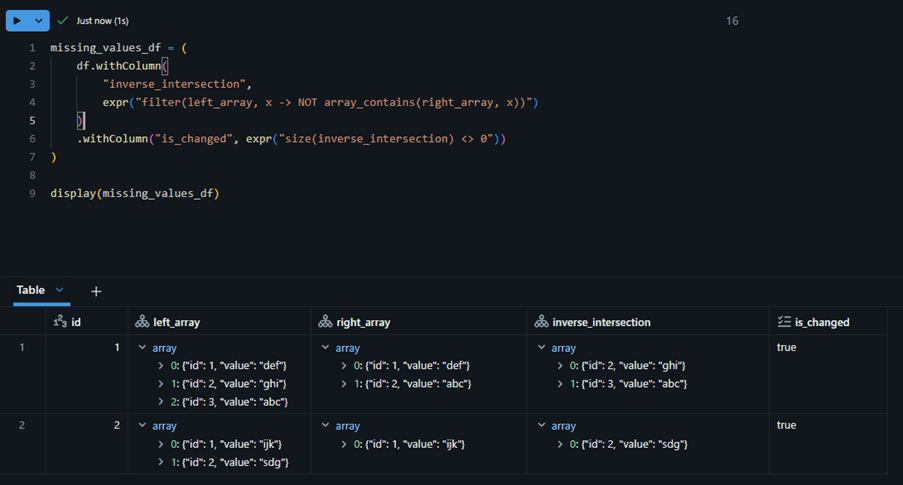
In next example, we are not comparing struct-to-struct directly. Instead, we compare the values inside each struct by using a unique identifier (id) present within the struct.
That means:
- An item in the left array with id = 1 will be matched against the item in the right array that also has id = 1.
- We assume the id field acts as the unique key within both arrays.
Once the matching struct is found using the id, we compare their internal values.

Below is the tranformations performed directly on the array of struct field without exploding.

PySpark DataFrame equality functions
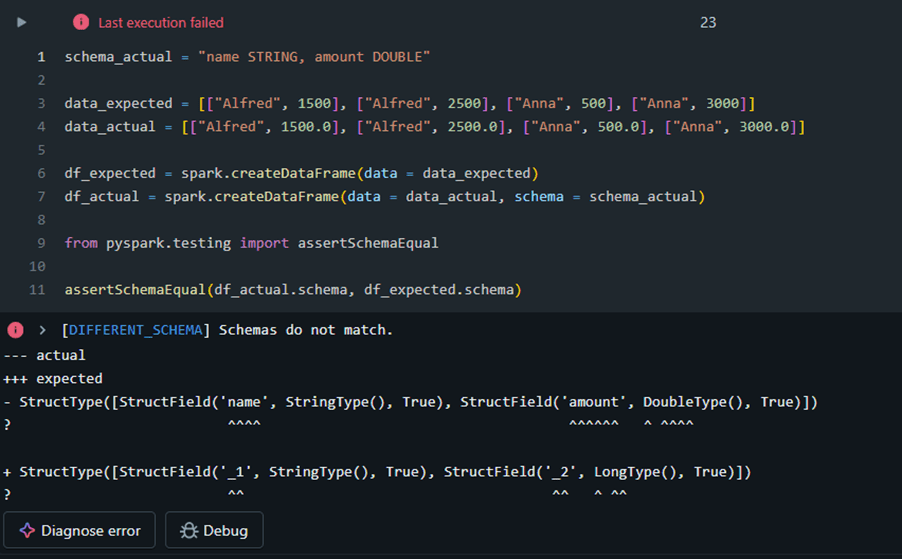
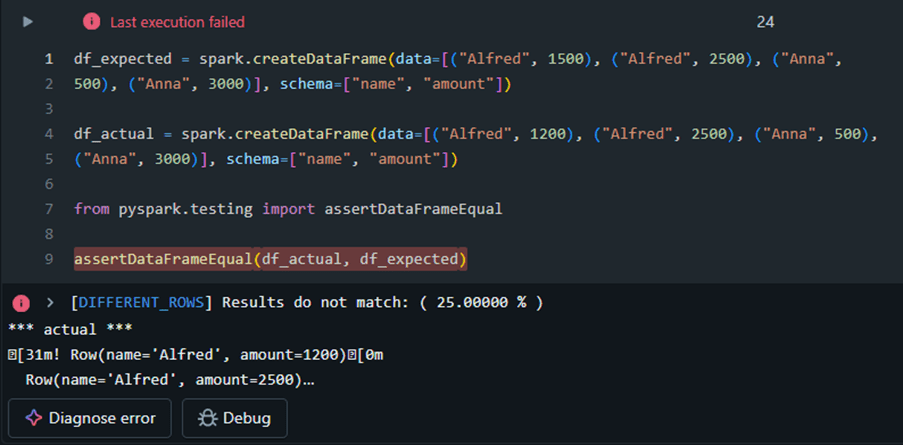
With equality functions, you can validate both the schema and data parity between DataFrames. Additionally, you have the option to capture all non-matching records and store them in a separate DataFrame for further analysis.
Schema mismatch example
Data mismatch example
Mismatch data capturing in dataframe

Prefer unionByName over union
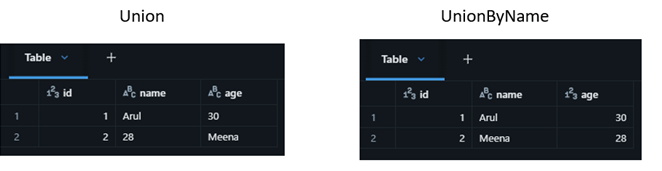
When working with DataFrames in Databrick, both union and unionByName combine two DataFrames. But unionByName is almost always the safer and smarter choice.
Union expects the both the source dataframe columns in same order, whereas unionByName go with name.

Handling missing columns

Outro
It is always important to write simple and bug free code as same as performant code. The sample code attached here – link
References
 KaniniPro
Leave a comment