In Apache Spark, partitions are the fundamental units of parallelism that determine how data is split and processed across executors. Each partition is handled by a single task, meaning more partitions generally lead to better parallelism and workload distribution.
However, too few partitions can underutilize cluster resources, while too many can cause overhead from excessive task scheduling.
Controlling partitions allows you to balance performance—ensuring the data is neither skewed nor fragmented (means too many small partitions), Optimizing partitioning strategies is therefore crucial to maximize parallelism, reduce shuffle costs, and achieve efficient Spark jobs.
How to decide number of partitions?
It is dependent on the number of cores. Each core can take one task at a time. The maximum number of concurrent tasks is equal to the total number of cores available across all worker nodes.

General Guidelines to control the partitions
- Baseline Rule:
Number of partitions ≈ 2 × total cores in the cluster.- For 32 cores, this means starting with 64 partitions.
- Why More Partitions?
- Ensures all cores stay busy (no idle executors).
- Helps with better load balancing (stragglers affect less work).
- Allows for speculative execution (re-execution of slow tasks).
- But Not Too Many Partitions:
- Each partition = one task → too many small partitions cause overhead (task scheduling, I/O setup).
- Too few partitions = under-utilization of cores.
Note: This article focuses only on the relation between number of partitions and number of cores. Executor tuning on worker nodes (memory size, data spill handling, etc.) is a different part of optimization and not covered here.
Different ways of controlling spark partitions
Spark partitions can be controlled at different stages; here are the key configurations:
- Reading → spark.sql.files.maxPartitionBytes
- After shuffle → spark.sql.shuffle.partitions
- Before write / transformations → coalesce, repartition, repartitionByRange
- Writing → df.write.option(“maxRecordsPerFile”, N)
Demo on spark partitions controls
Below PySpark code sets the maximum partition size while reading and the number of partitions after shuffle, overriding the defaults. Additionally, coalesce is used before writing to rebalance the partitions, and the data is written in that layout.
Source file

pyspark code

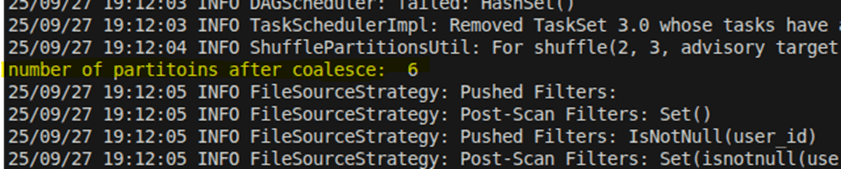
Checking the log
Since the total size of people.csv is 920 MiB and the maximum partition size is set to 500 MiB, Spark creates 2 partitions when reading the file.

Number of partitions after join which controlled by shuffle partitions config.

Number of partitions after coalesce.
Control number of partitions by records count
Below pyspark code controls the spark partitions based on number of records.
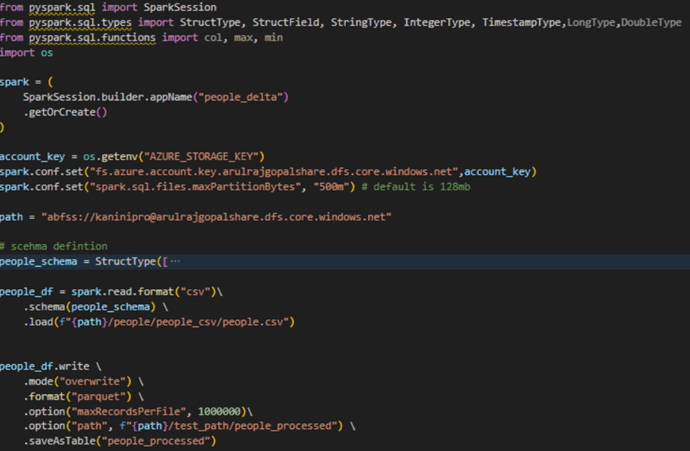
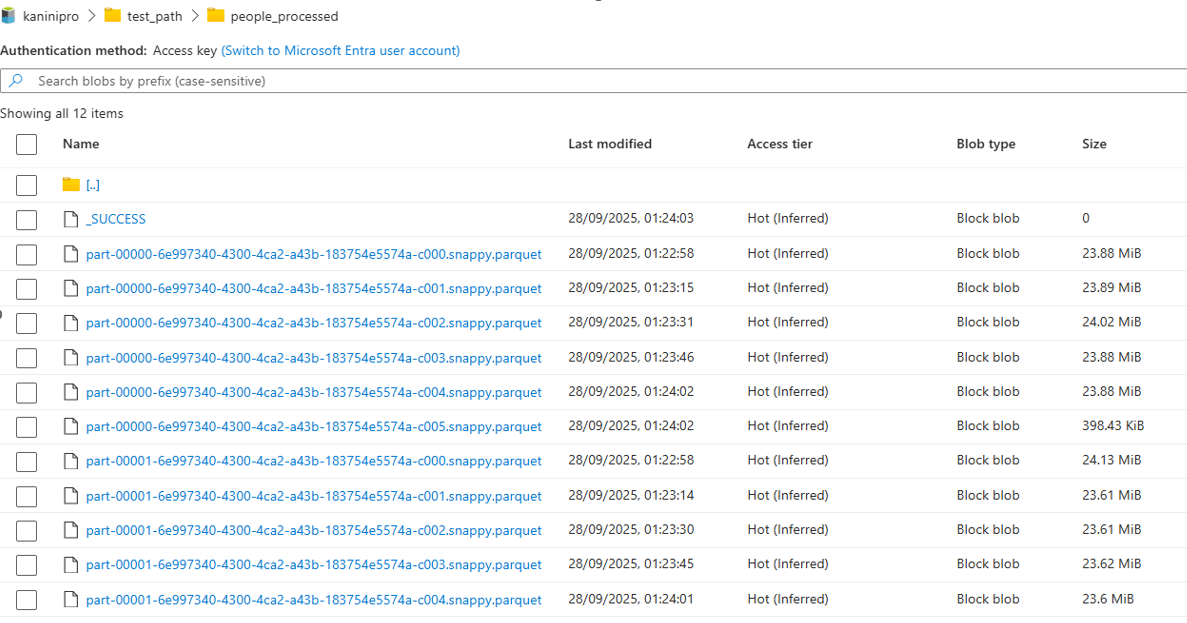
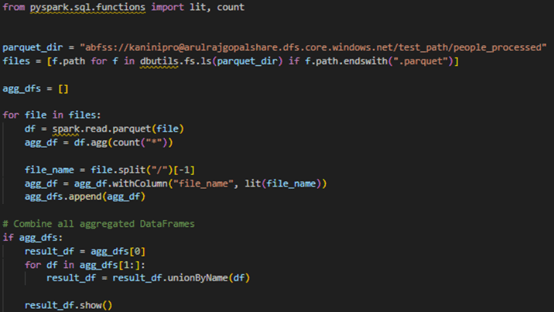
After writing the data into parquet file with max records per file controlled, the number of parquet files is decided based on total counts, which is 11 in below example. And using the below query it is understandable that maximum records in parquet file is 1M records.

Conclusion
controlling Spark partitions is essential for optimizing parallelism, and Spark provides multiple ways to manage partitions—during reading, after shuffles, before writes, and based on record counts—allowing fine-grained control to achieve efficient, scalable data processing.
Happy learning !!!
 KaniniPro
Leave a comment