A common confusion arises between Spark partitions and Hive partitions—these are completely different concepts.

Spark partitions are in-memory objects controlled by methods like repartition, coalesce, or configuration settings. Balancing partitions in a DataFrame is essential to ensure the right level of parallelism. Too few partitions can leave the cluster underutilized, while too many partitions add overhead and slow down execution.
Hive partitions are physical subdivisions of tables based on column values, stored as separate folders on disk. They are defined at table creation or during write, with each partition corresponding to a separate file/folder.
Hive-style partitions help prune unnecessary data during queries, improving read performance. They are ideal for data organization on disk and efficient filtering in queries (e.g., querying a specific month or year).

Spark Behaviour with and without Hive-Style Partitioning
When writing a DataFrame without using partitionBy, Spark does not create Hive-style partitions. In this case, each Spark partition is written as a separate Parquet file.
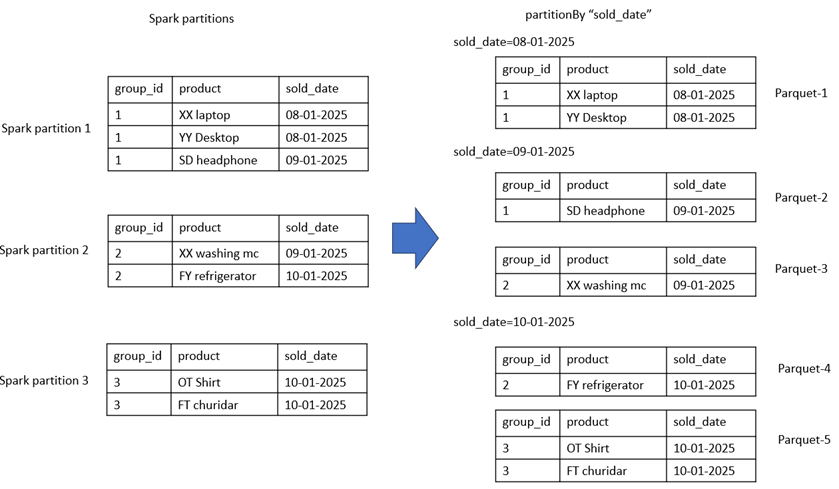
When writing with partitionBy, Hive-style partitioning is enabled. Spark organizes the data into subdirectories based on the values of the partition column. Within each subdirectory, the number of Parquet files corresponds to the number of Spark partitions that contain that specific value of the partition column.
Illustration: The diagram below clarifies how Spark decides the folder structure (Hive partitions) and the number of Parquet files (Spark partitions) during write.
Demo on spark partitions & hive partitions
The Spark code below writes a repartitioned DataFrame using Hive-style partitioning. The repartitioned column and the partitionBy column are intentionally different to clearly show their distinct roles.
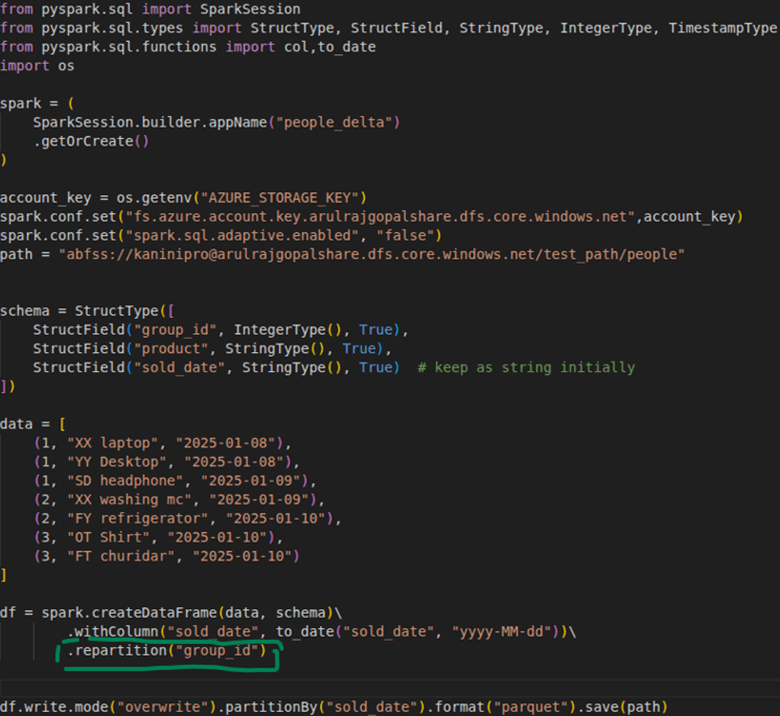
Note: For demonstration purposes, only a few records are used. In real scenarios, this would not be the case. Additionally, Adaptive Query Execution (AQE) is disabled here—otherwise, since the files are small, AQE would automatically combine them into a single file for better performance.
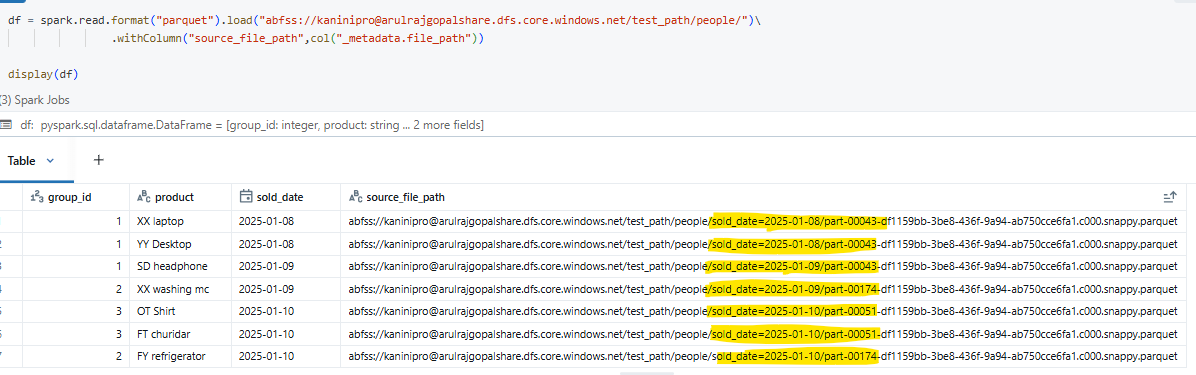
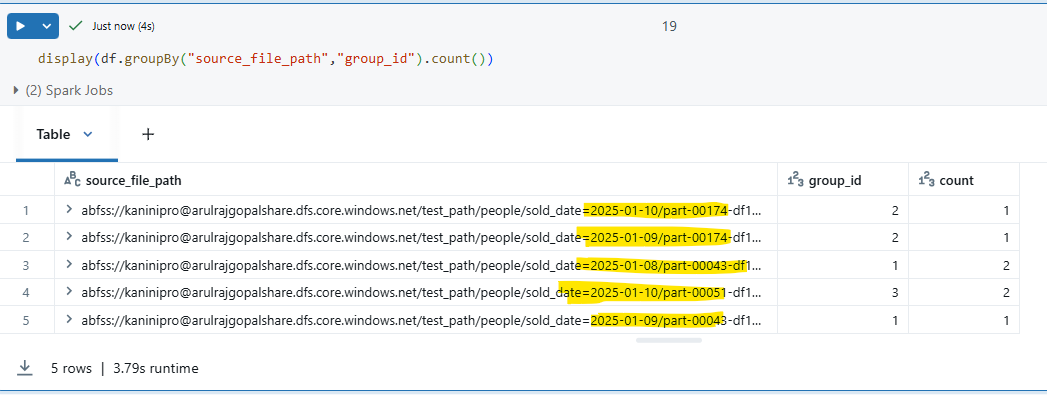
Result: The output clearly shows how Hive partitions (folders) and Spark partitions (Parquet files) work together to structure the data on disk.
As illustrated, a total of 5 files were created. The Hive partition column is sold_date, so every record with the same sold_date is placed under a single directory. Within each directory, Spark creates one Parquet file per DataFrame partition (here, based on group_id).
Conclusion
Spark partitions and Hive partitions serve different purposes—Spark manages parallelism in memory, while Hive organizes data on disk for efficient querying. Understanding their distinction helps in designing pipelines that balance performance during both data processing and query execution.
Happy learning!!!
 KaniniPro
Leave a comment